

Summarize this article with AI
An SEO silo structure groups a website's pages by topic, each group under a parent page, and its strict version bars links from one group to the next. The grouping is easy to agree on. The no-cross-links rule is where guides still disagree.
So we looked at how a real site behaves: our own Ghost blog, 44 posts, crawled link by link. On top of that, 12 days of verified Googlebot requests. Here's what a silo actually is, what Google has said about the strict rule, and the numbers from our test. After that comes the how-to for building or auditing one on WordPress, Ghost or Shopify.
What is an SEO silo structure? Physical, virtual and hybrid
An SEO silo structure is a site layout where pages on one topic sit together under a parent page and link mostly to each other. In the strict version, nothing links across to a neighboring topic. Fans of the structure say it builds topical authority: pack enough tightly linked pages onto one topic, they argue, and search engines can tell the site knows its stuff. The nearest line on record from Google itself: links "can provide more context on a topic, both for users and search engines, which may help demonstrate your knowledge on a topic."1
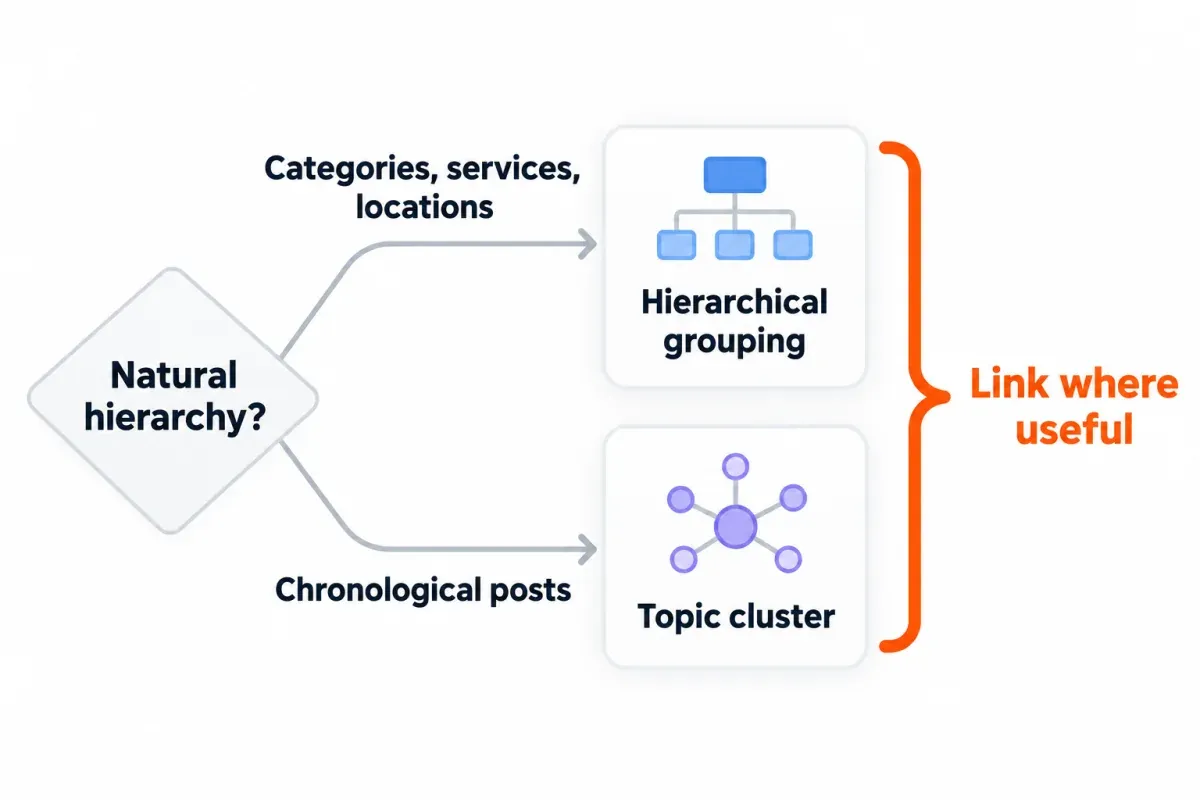
A physical silo groups the topic in the URL, with folders like /email-marketing/subject-lines/ under /email-marketing/. A virtual silo leaves URLs flat and does the grouping through internal links. Every post is linking back to a parent page that lists them all. Spin up a blog on WordPress, Ghost or Shopify, and the hybrid is already there. WordPress parks category archives under /category/. Ghost's tag pages live at /tag/<slug>/, while Shopify keeps products and collections on their own paths. Grouping is partly in the URL, partly in the links.
Internal links distribute PageRank around a site the way backlinks distribute it into a site.2 PageRank has changed plenty since launch, Google says, and it's still part of its core ranking systems. The original idea's simple though: each page passes a slice of its score through its links. Brin and Page's 1998 paper explained that PageRank normalizes contributions by the number of links on a page.3
Google mostly doesn't read your URL structure to work out how the site's organized. What it reads is the links between pages, weighing one against another. So menus, nav and cross-page links are what shape the structure Google sees. Folders still help a reader parse a URL at a glance. On sites past a few thousand URLs, they can also tell Google how often each directory changes. A silo built from folders alone, with no internal linking to back it, gives Google little to read.
The "never link across silos" rule: who still says it, and what Google has written
In the strict version, a page in one topic shouldn't link to a page in another at all. If it does, only through rel="nofollow" so the link doesn't count. Some practitioners still defend that rule in 2026. Others argue against it.
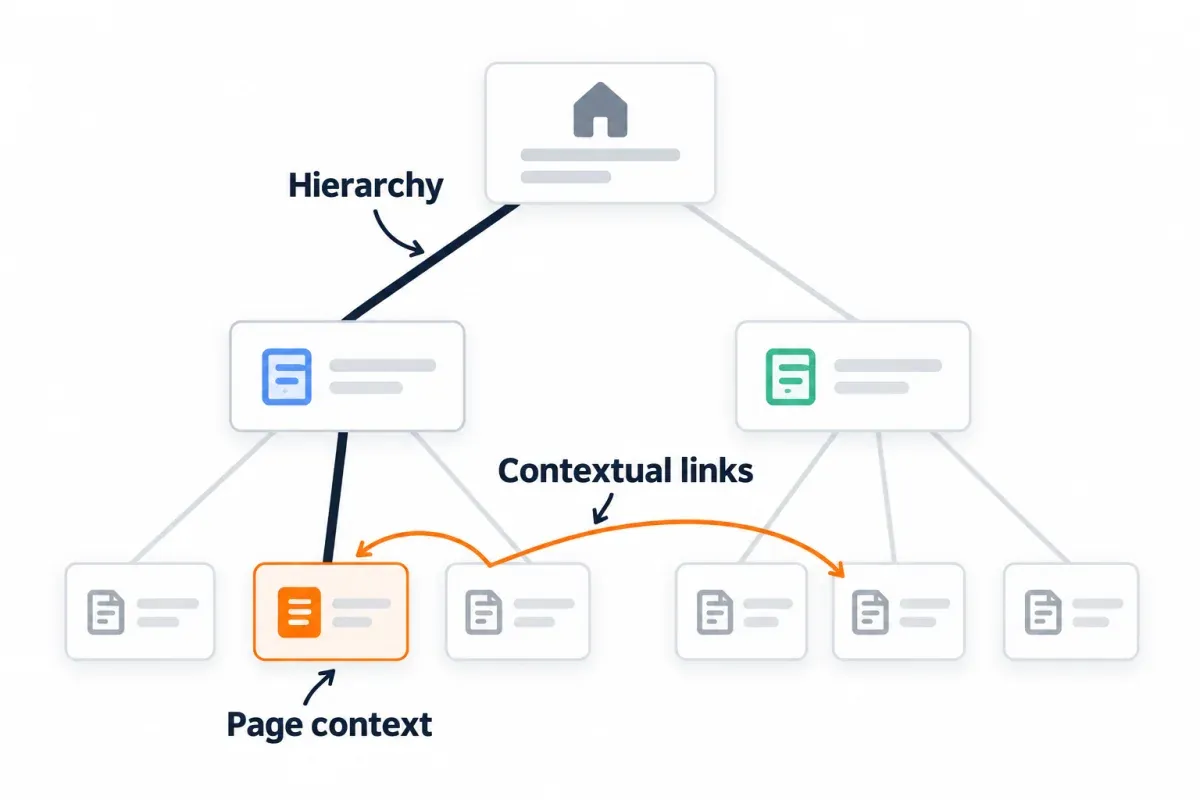
Silo advice in 2026 runs from strict to loose. Some guides still define a silo by isolation, others allow cross-links where they help a reader, and a few argue against isolation altogether. Even the practice's originator links loosely on a blog: Bruce Clay Inc., which developed siloing in 2002, told bloggers in 2026 that each supporting post should link back to the cornerstone article "and, where relevant, to each other." The practical argument against isolation is user experience: users who want the related page in the next section have to go back to the start and look for it, and search engines have fewer paths to that page too.
The nofollow half of the rule was about PageRank, not topics, and PageRank by itself has no topic. Nofollow was meant to hold PageRank inside a section: nofollowed links originally didn't count toward a page's link total, so its followed links passed more. In June 2009 Matt Cutts wrote that Google had changed that more than a year earlier: a page with ten points and ten links, five of them nofollowed, now passes one point through each followed link, not two.4
Google answered the "theming" question in a 2008 post: "We haven't found a case where a webmaster would benefit by intentionally 'theming' their link architecture for search engines."5 It called using nofollow for "PageRank sculpting, or PageRank siloing" something Google would not "spend time or energy on", and added that if a visitor to one part of a site can't easily reach other parts, "that may be a problem for search engines as well". Cutts' advice the next year: "In general, I would let PageRank flow freely within your site."
Google Search Central said in 2019 that it treats nofollow as a hint when deciding which links to consider in Search.6 For crawling and indexing, nofollow became a hint on March 1, 2020. And for a page on your own site that you don't want Google to crawl, Google's nofollow documentation points to the robots.txt disallow rule, not nofollow. Bruce Clay Inc. wrote in June 2009 that it considered nofollow sculpting "a marginal support for siloing."
So the nofollow version of the rule rests on a mechanism Google changed around 2008, and Google's documentation still points away from nofollow on your own links. The useful half of siloing, grouping a topic under a parent page, is a separate thing from the "never link across" rule. It's the half that matches Google's advice to link from category pages down to the pages beneath them.
Silo vs. topic cluster vs. content hub: one structure, different linking posture
Three names turn up for broadly the same shape. HubSpot, which published the topic-cluster model in 2017 and endorsed linking from one cluster out to related topics, says topic clusters are "also known as 'content clusters' or the 'hub and spoke' model". Bruce Clay Inc.'s own 2026 blog post calls a silo's cornerstone article plus supporting posts a "content cluster". The structural piece is the same: a parent page over supporting pages, with supporting pages linking back and sometimes to each other.
What differs is how freely links flow across sections.
| Model | Structure | Cross-section linking |
|---|---|---|
| Silo (strict) | Parent page + grouped supporting pages | Only to the other section's parent, or carrying nofollow |
| Content hub / hub and spoke | Hub page + supporting pages | Expected where topics overlap |
| Topic cluster | Pillar page + cluster pages | Cluster pages link to each other and to other clusters where relevant |
So the choice is not between three structures, it's one structure with a dial on cross-linking. Google's own guidance leans loose: link related pages in context. On how many links a page should carry, Google writes, "There's no magical ideal number of links a given page should contain. However, if you think it's too much, then it probably is."7
What our blog's structure looks like, and what Googlebot actually fetched
The guides that rank for this topic argue in the abstract. Here's a site we can measure: our own blog, 44 posts on Ghost, flat URLs under /knowledge/, tag pages as hubs, no silos designed in. We crawled it on October 16, 2026, then sat down with 12 days of request logs to see how a hybrid actually behaves.
Counting every link a crawler can follow from the blog home, 13 posts sit 1 click away, 26 at 2 clicks, 5 at 3, and nothing beyond that. All 44 sit within three clicks without any depth planning, because tag pages, the archive and in-body links each pull posts in from a different angle. A post page carries about 21 internal links to about 17 distinct targets. Around a quarter are ones the writer added in the body; the rest come from the theme.
In-body links between posts: 189 distinct ones, with the median post linked from the body of 4 others, 8 posts getting none, and no nofollow on any body link. Out of those 189, 83 (44%) connect posts whose primary tags don't match. On a blog nobody designed as silos, almost half the in-body links cross topic lines.
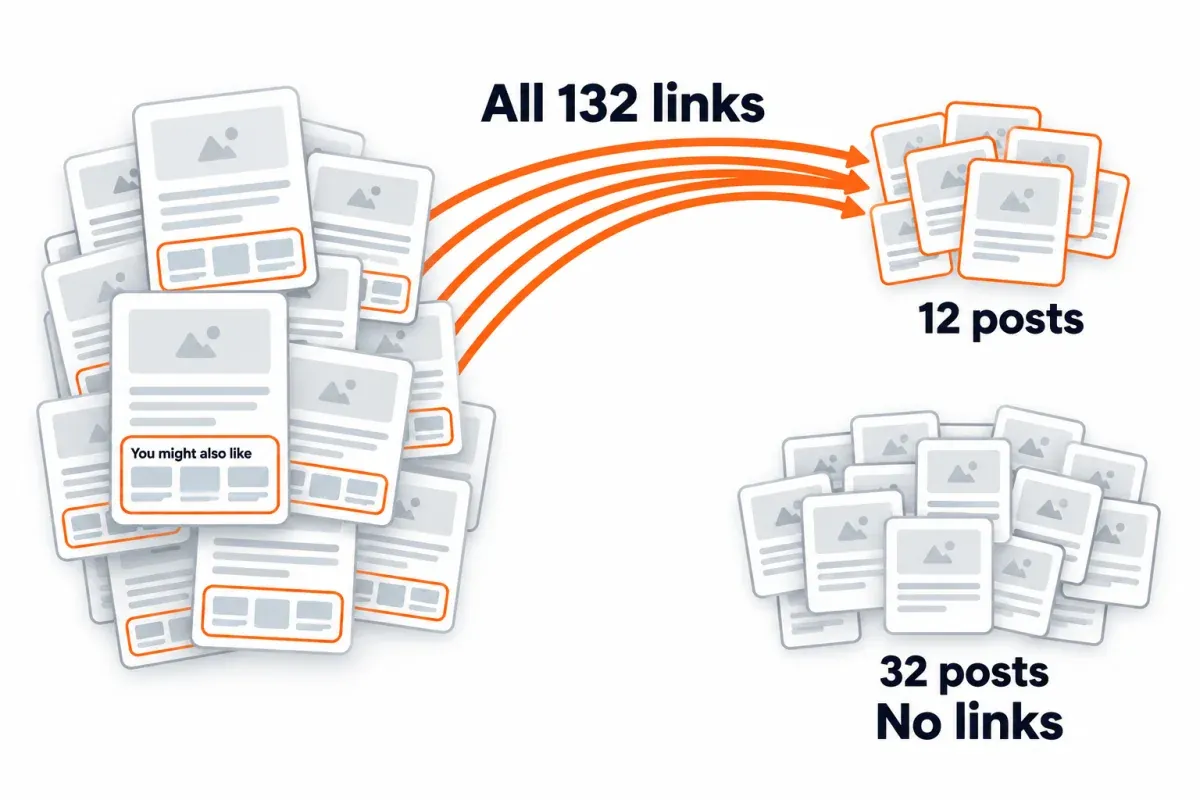
The "You might also like" block feeds the 3 newest posts that share the current post's primary tag. All 132 related-post links point at 12 of the 44 posts; 32 posts get none. A recency-biased widget starves older posts of related-widget links, however carefully tags are set.
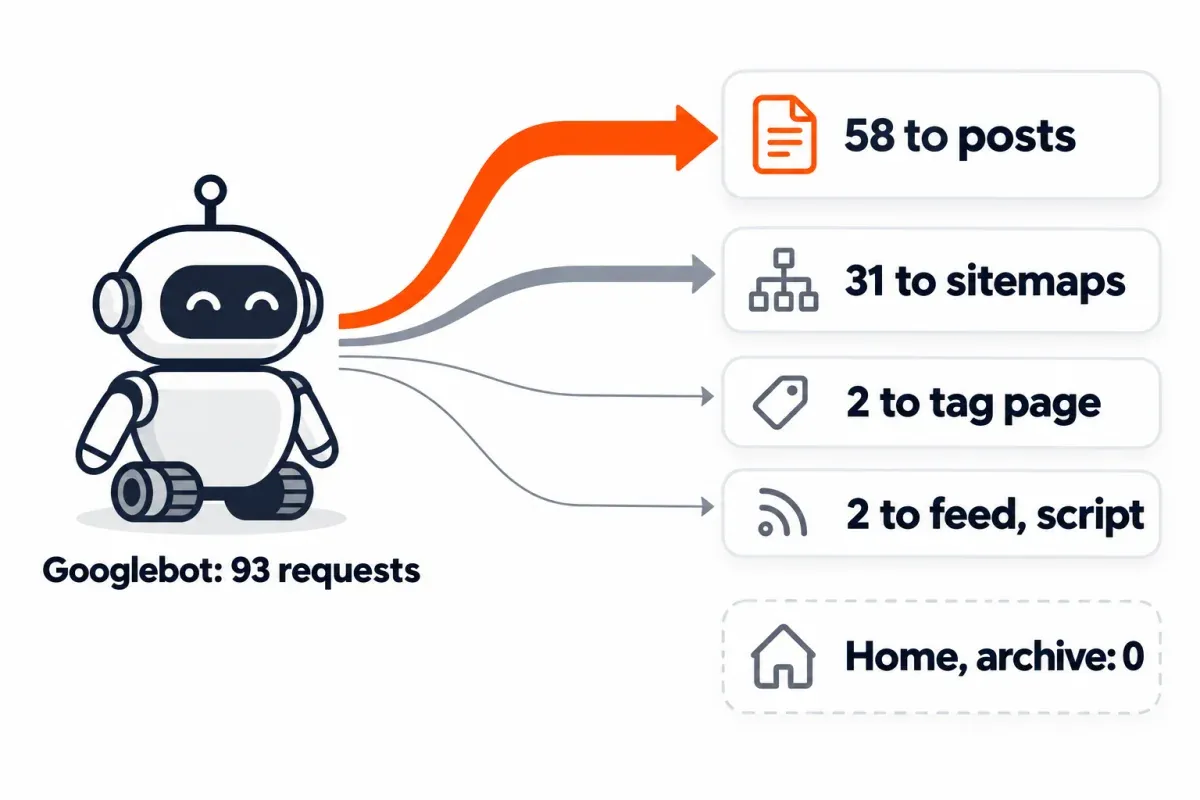
The Ghost logs, over 12 days in October 2026, caught 93 verified Googlebot requests (each from a Google IP confirmed by reverse DNS plus forward lookup). The breakdown: 58 to 29 of the 44 posts, 31 to sitemaps, 2 to one tag page, 1 to the RSS feed, 1 to a script file, zero to the blog home or any archive page. Break that out by click depth. Of the 13 posts at depth 1, 12 got fetched. Of the 26 at depth 2, 13. Of the 5 at depth 3, 4. Sort by publish date and the pattern shifts. From before September, 13 of 16 posts got fetched. Only 6 of 17 published between September 1 and October 4. And 10 of 11 from October 5 onward. In this window, which posts got fetched tracked publication date more closely than click depth or in-body links did. The limits: one small site, 12 days, a young domain, and logs that show what was fetched, not how a URL was first found.
Picking silo, cluster or hybrid: WordPress, Ghost and Shopify
Your platform is already nudging you toward a hybrid. The knobs just sit in different places.
WordPress. Settings → Permalinks is where you set the URL structure through structure tags. Drop %category% in and the category slug lands in the URL, with sub-categories showing up as nested folders. Got a post in several categories? Only one can appear in its URL. A primary-category setting, like Yoast's, lets you pick which. The category archive pages at /category/<slug>/ list a category's posts and act as your hubs. Switch the permalink structure down the line, and the redirects become your problem. Core WordPress doesn't promise them, so plan on adding and testing the 301s by hand.
Ghost. Posts carry tags. Whichever tag comes first is the primary one. Each tag gets its own archive at /tag/<slug>/. Tag it with two, and it lands on both archives. The routes.yaml file sets how posts are grouped and where URLs live: a collection can filter by primary_tag and give posts a path like /{primary_tag}/{slug}/, but a post can sit in only one collection, and posts that already live at other URLs may still need redirects. Related posts and breadcrumbs are a theme thing, not a Ghost core feature (our theme happens to include both).
Shopify. Products live at /products/<handle>. Shopify's within Liquid filter mints a second URL for the same product inside a collection (/collections/<collection>/products/<handle>).8 Shopify's own docs flag it as something to think through, since you've got the same content on two URLs. Canonical tags? Shopify adds those automatically. You edit the handle; Shopify sets the prefix. Shopify's recommended shape is Homepage → Collections → Products, with internal links tying related products and collections together.
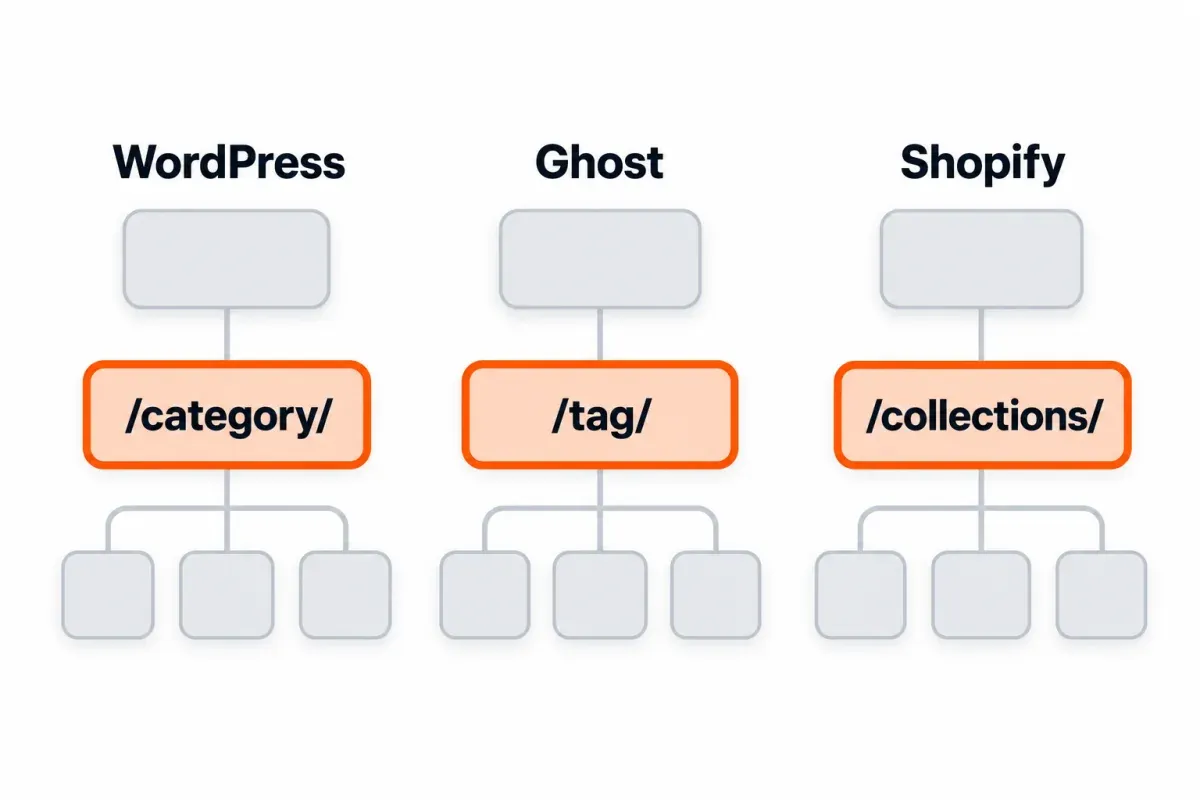
Here's the real call you're making. A physical silo (grouping lives in the URL) means a URL migration if your site is already live. A virtual silo, with a parent page per topic and links between related pages, works on any of the three.
How to check your site's structure with tools you already have
Three sources, each with real limits.
A crawler. Screaming Frog SEO Spider is free up to 500 URLs per crawl, with a Crawl Depth column (clicks from the start page) and an Inlinks count. A license is $279 per year, per user.9 Ahrefs Free (formerly Ahrefs Webmaster Tools) runs a site audit on sites you verify, with 5,000 crawl credits per project per month, a Depth figure for each URL and an Orphan page issue for URLs with no incoming internal links.
Search Console. The Links report lists the top internally linked pages and which pages link to a given page, up to 1,000 rows per table, as a sample of links Google has found over time.10 It doesn't flag nofollow. URL Inspection shows a page's last crawl, the sitemaps that list it, and a Referring page that may be a grandparent of the real linker. Crawl Stats shows site-level totals by response and file type, with example URLs that are "not comprehensive". No Search Console report shows click depth, per-page crawl frequency or which internal links are nofollowed.
Server logs. The honest answer to "how often does Googlebot fetch this page" lives in your server logs. Match on the Googlebot user agent and verify the IP with a reverse DNS lookup followed by a forward lookup, as our log file analysis workflow covers. A string match on "Googlebot" in a referrer or in a browser user-agent string is not the same thing.
Turning a rigid silo into a cluster without a rebuild
Already running a silo? The migration is small.
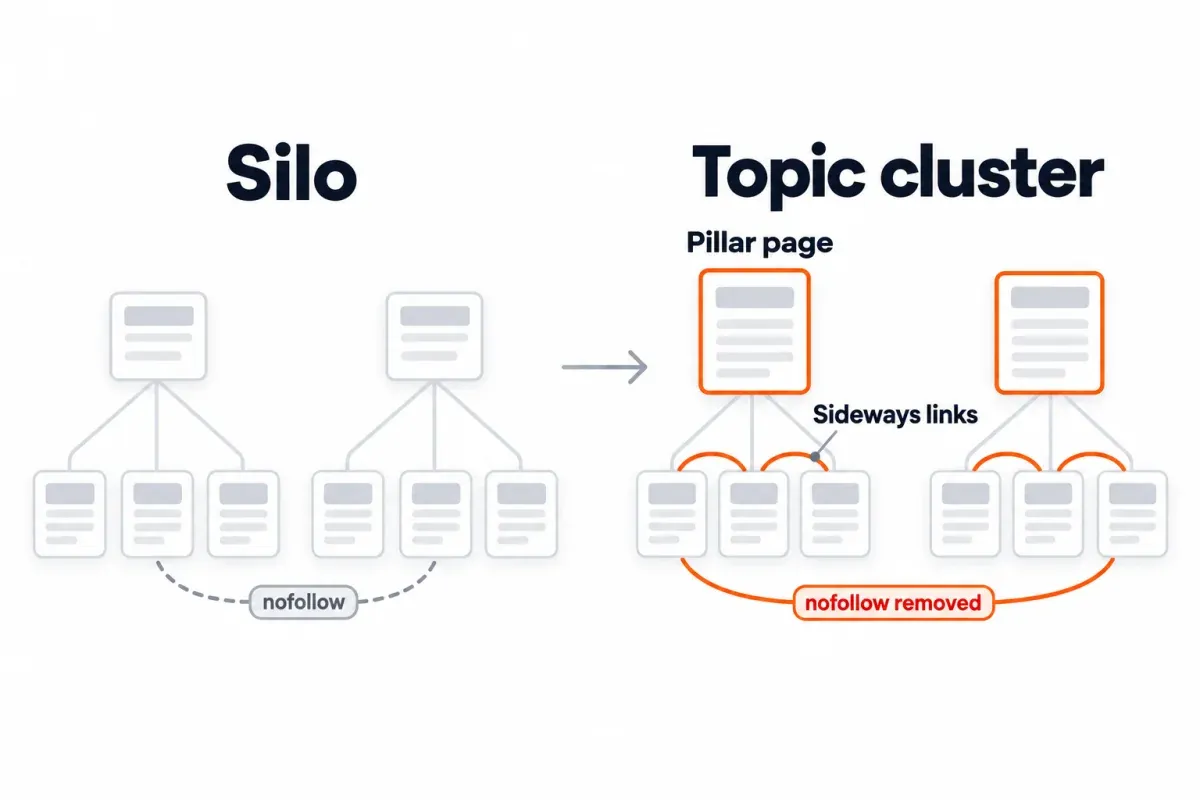
- Keep your existing hierarchy.1 The folders or internal-link groups are the work you already put in, and they aren't the problem. Moving them is work and risk. After URL changes, rankings can swing while Google recrawls and reindexes, and Google says a medium-sized site can wait a few weeks or more before the new URLs even show up.
- Drop nofollow from internal links. On your own pages, Google's nofollow docs point you at robots.txt instead. Paid links take
rel="sponsored", andrel="ugc"belongs on user-generated ones. Plain nofollow still has a job: links to sources you don't trust. - Add a pillar page per topic if the hub is thin. A one-line landing page over a list of posts doesn't stand on its own. In HubSpot's model, the pillar introduces each subtopic and links out to the page that covers it, over a topic broad enough to carry 20 to 30 supporting articles.11
- Link supporting pages to each other, not only up to the pillar. Got two posts whose topics genuinely overlap? Link them.
No new URLs, no new CMS, no rewriting content.
A flat email-marketing blog, walked through
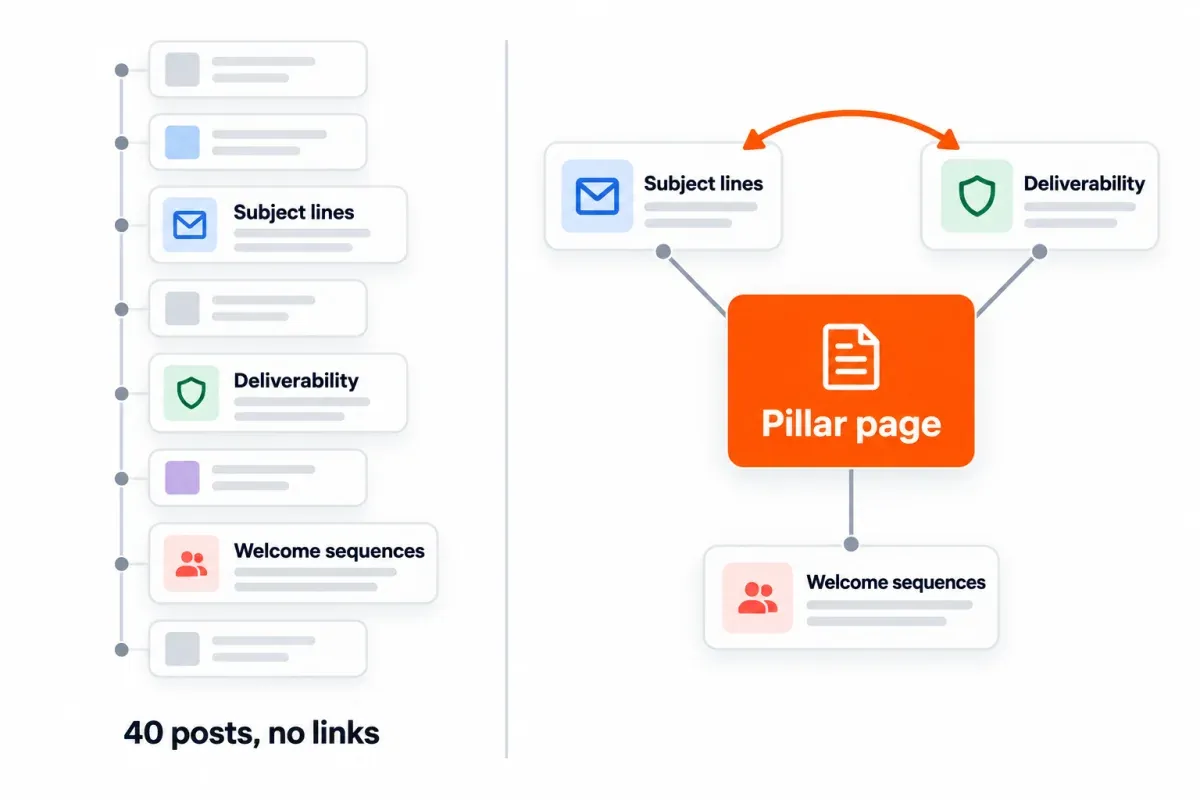
Before: 40 email-marketing posts, sorted by publish date, no links between them, no page pulling them together.
After: one pillar page, "Email Marketing: The Complete Guide", linking to each of the 40 posts. The subject-line post points at the deliverability post. Misleading subject lines can land mail in spam, and Gmail's sender guidelines ask that subject lines represent the message accurately. Every supporting post links back up to the pillar. No deletions, no rewrites. The only new work is structural.
Where silos tend to go wrong
- Over-isolating with nofollow where a reader would want the link. Google's docs want you linking related pages in context, and since roughly 2008 a nofollowed internal link stopped shunting its PageRank to the other links in that section.
- Chasing a click-depth number nobody published. Google publishes no click-depth number; its 2008 post says to keep important pages "within several clicks from the home page".5 If a page you want ranked sits deep, link to it from pages that already get traffic. Paginated archives have their own depth math, covered in our pagination guide.
- Two cluster pages covering the same thing. Give each subtopic one page. For two pages with the same information, Google suggests redirecting the weaker one to the page that best represents it; our content audit guide walks through merges.
- A pillar that only links down. If the pillar is a link block and a few lines, it won't stand on its own. HubSpot's model wants it broad enough to answer the head term.
- A related-posts widget that only feeds the newest posts. On this blog, 132 related-widget links point at 12 of 44 posts; older posts a reader would want linked miss out.
Frequently asked questions
What is a silo structure in SEO and how does it work?
In an SEO silo structure, pages on one topic sit beneath a parent page, with links tying them to each other. The strict version lays down one more rule: no links out to other topics. The grouping can live in the URL (a physical silo, with folders) or only in the internal links (a virtual silo, with flat URLs). Google mostly reads your site structure from links, not folder names.
Does silo structure still help SEO in 2026?
Grouping pages under a parent page still helps, because it gives Google a hub to crawl down from and a reader a landing page to orient on. The strict "no cross-section links" rule is a different thing: Google wrote in 2008 that it found no benefit from theming link architecture, and changed how nofollowed links counted around the same time. Keep the grouping, drop the restriction.
Silo vs topic cluster: what's actually different?
Not the structure. Both have a parent page over supporting pages. The difference is in the cross-linking posture: a strict silo blocks or nofollows cross-section links; a topic cluster expects them where topics overlap. HubSpot, which published the cluster model in 2017, says topic clusters are "also known as 'content clusters' or the 'hub and spoke' model".
Should links between silos still use rel="nofollow"?
No. For your own pages, Google's nofollow docs point to a different tool entirely: "For links within your own site, use the robots.txt disallow rule." On outbound links, paid ones take rel="sponsored", user links get rel="ugc", and plain nofollow still fits sources you don't trust. On internal links, nofollow stopped holding PageRank inside a section back when Google changed how it counted, around 2008.
Does a small site need a silo structure?
A small site does well with a parent page for each topic that has more than one post, and internal links between related posts. That's the useful half of siloing, and Google's link guidance says "Every page you care about should have a link from at least one other page on your site." The strict rule adds nothing Google has found useful, and it costs you links readers would use.
How deep can a page sit before it becomes a problem?
Google's 2008 post says "within several clicks" of the home page, and nothing stricter. Pages linked straight from the home page can read as more important, and Google may crawl them more often. Google is clear that this doesn't translate into higher rankings. Got a page you want ranked that's buried deep? Link to it from pages that already pull traffic. That's what Google recommends for a best-selling product.
Curious how your folders stack up at a glance? SEO Heatmap lets you filter the heatmap by URL folder (contains /blog/, excludes /tag/) and read the click totals per section, or you can ask Claude or ChatGPT to roll pages up by folder through the get_sections MCP tool. It's free for one Search Console property.
Sources (11)
SEO Heatmap Knowledge relies on primary sources: Google's documentation, web standards, peer-reviewed research, and vendors' own pages for their pricing and features. Our editorial standards
- Google Search Central. “SEO Starter Guide: The Basics.”
- Manning, Raghavan and Schütze. “PageRank.”
- Brin and Page, WWW7 1998. “The Anatomy of a Large-Scale Hypertextual Web Search Engine.”
- Matt Cutts. “PageRank sculpting.”
- Google Search Central Blog. “Importance of link architecture.”
- Google Search Central. “Evolving "nofollow" - new ways to identify the nature of links.”
- Google Search Central. “SEO Link Best Practices for Google.”
- Shopify. “within: Liquid filter.”
- Screaming Frog. “SEO Spider Pricing.”
- Google Search Console Help. “Links report.”
- HubSpot. “Topic Clusters: The Next Evolution of SEO.”

