

Summarize this article with AI
Copy Google's full video sitemap example from its own documentation, run it through a validator, and it fails: one tag appears out of order. Even getting a validator to check a video sitemap takes a trick, because neither the sitemaps.org schema nor Google's video schema can do it alone. And a couple of older guides' examples fail the same order check.
Inside you'll find a video sitemap template that clears a validator on the first try. There's also a decision table for figuring out which pages belong in the file. Every XML block below went through xmllint against Google's sitemap-video/1.1 schema on 2026-10-31. The broken ones too, with their actual error output. You'll get the tag reference, the rules the schema can't enforce (because a valid file still has to please Google), a tested Python script that turns a CSV into a sitemap, and the Video indexing report reasons waiting for you after submission.
The plan: run the watch-page test to decide if a sitemap is worth building. Then pick your format: separate file, or video tags folded into the sitemap you already have. Build the file, validate, submit, and open the right Search Console reports to find out what actually happened.
Video sitemap: the short answer
Think of a video sitemap as an XML list of your watch pages, nothing fancier. Per video, you give it a thumbnail, a title, a description, and a pointer to either the file or the player. Standalone file? Fine. Video tags inside your existing XML sitemap? Also fine. Both routes declare Google's video namespace up top (http://www.google.com/schemas/sitemap-video/1.1). The payoff? It helps Google find and understand your videos, which matters most for fresh uploads and anything its crawler might not reach on its own. Submitting a video sitemap is a hint, as Google notes on its build-and-submit sitemap page.1
Here's an example video sitemap, stripped to the bare bones Google's schema will accept. Four required tags, one video, one page.
<?xml version="1.0" encoding="UTF-8"?>
<urlset xmlns="http://www.sitemaps.org/schemas/sitemap/0.9"
        xmlns:video="http://www.google.com/schemas/sitemap-video/1.1">
  <url>
    <loc>https://www.example.com/videos/sourdough-starter/</loc>
    <video:video>
      <video:thumbnail_loc>https://www.example.com/thumbs/sourdough-starter.jpg</video:thumbnail_loc>
      <video:title>How to make a sourdough starter</video:title>
      <video:description>Flour, water and seven days: a step-by-step guide to a starter that rises.</video:description>
      <video:content_loc>https://www.example.com/media/sourdough-starter.mp4</video:content_loc>
    </video:video>
  </url>
</urlset>
Validate it with one line (the setup is a few paragraphs down):
$ xmllint --noout --nonet --schema sitemap-video-wrapper.xsd video-sitemap.xml
video-sitemap.xml validates
Two gotchas worth stating up front, because most guides breeze past them. First, Google indexes videos only on watch pages (its video SEO guide), and only one video per page (its Video indexing report help). Second, a file can pass the schema and still be wrong for Google. The schema accepts a video block with no content_loc and no player_loc at all. Google requires one of them.
Do you need a video sitemap? Start with the watch-page test
Google's video SEO guide defines a watch page as a page whose main purpose is to show users one video.2 Everything else, from a product page with a demo clip to a blog post reviewing a trailer, is a non-watch page. Non-watch pages can still show up as text results or as Google Image results with a video badge, but they are not eligible for Google's video features. So before you build anything, sort your pages.
| Page type | Watch page? | List it in the video sitemap? | What the page can still get |
|---|---|---|---|
| Video landing page (one video is the point) | Yes | Yes | Video result, Image result with badge |
| TV episode, lesson, or news video page | Yes | Yes | Video result, Image result with badge |
| Product page with a product video | No | No | Text result, Image result with badge |
| Blog post reviewing an embedded video | No | No | Text result, Image result with badge |
| Video category page listing several videos equally | No | No | Text result, Image result with badge |
| Course page built around a single video | Yes | Yes | Video result, Image result with badge |
Some older guides recommend a multi-video overview page as your landing page. Google's own non-example list rules that out. If one video is doing the heavy lifting on a page, that page qualifies as a watch page. Take the video away and the page still reads fine? Then it isn't.
Google allows one useful pattern. Give the video its own dedicated watch page. Then drop the same clip into an article where it backs up what you're saying. Only the watch page goes in your video sitemap. Readers and search still get value from the article. It's just not what Google uses to index the video.
On your own watch pages, YouTube and Vimeo embeds work fine. Put the embed URL in player_loc (that is often the src of an <iframe>), and skip content_loc. Google treats listing those pages as optional ("you may also include these pages in your video sitemaps") and still recommends structured data for them.2 Both your page and the platform's page can get the same video indexed.
So, is a video sitemap worth the effort? Yes, once you've got more than a handful of watch pages. Also yes when some pages are new or buried deep, when files sit on your own servers, or when your CMS blocks structured data in templates. Lower priority? Small, well-linked sites where the Video indexing report already shows "Video indexed" on the important pages. Same for sites with no watch pages, where every clip lives on YouTube. In practice: put your video pages in a spreadsheet, run each row against the table above, and only then write any XML.
Watch page not indexed at all? Our guides on "Crawled - currently not indexed" and "Discovered - currently not indexed" dig into the host-page side of this. Google won't index a video before the page hosting it is indexed.
A video sitemap template that passes Google's schema
What follows is a fuller example video sitemap: one watch page carrying every optional tag worth using on a real site, in the exact order the schema demands. The deprecated tags? Dropped on purpose. Include expiration_date only when the video actually expires. The next section explains each line.
<?xml version="1.0" encoding="UTF-8"?>
<urlset xmlns="http://www.sitemaps.org/schemas/sitemap/0.9"
        xmlns:video="http://www.google.com/schemas/sitemap-video/1.1">
  <url>
    <loc>https://www.example.com/videos/sourdough-starter/</loc>
    <video:video>
      <video:thumbnail_loc>https://www.example.com/thumbs/sourdough-starter.jpg</video:thumbnail_loc>
      <video:title>How to make a sourdough starter</video:title>
      <video:description>Flour, water and seven days: a step-by-step guide to a starter that rises.</video:description>
      <video:content_loc>https://www.example.com/media/sourdough-starter.mp4</video:content_loc>
      <video:player_loc>https://www.example.com/player/sourdough-starter</video:player_loc>
      <video:duration>754</video:duration>
      <video:expiration_date>2027-12-31T23:59:59+00:00</video:expiration_date>
      <video:rating>4.6</video:rating>
      <video:view_count>12345</video:view_count>
      <video:publication_date>2026-10-01T08:00:00+00:00</video:publication_date>
      <video:tag>sourdough</video:tag>
      <video:tag>baking</video:tag>
      <video:tag>bread</video:tag>
      <video:family_friendly>yes</video:family_friendly>
      <video:restriction relationship="allow">US CA GB</video:restriction>
      <video:requires_subscription>no</video:requires_subscription>
      <video:uploader info="https://www.example.com/team/jane-doe/">Jane Doe</video:uploader>
      <video:platform relationship="allow">web mobile tv</video:platform>
      <video:live>no</video:live>
    </video:video>
  </url>
</urlset>
Order matters. The schema declares the children of <video:video> as a fixed sequence, so a perfectly valid tag in the wrong slot still breaks. Here is the sequence to keep: thumbnail_loc, title, description, content_loc, player_loc, duration, expiration_date, rating, view_count, publication_date, tag, family_friendly, restriction, requires_subscription, uploader, platform, live.
Here's a fun one: Google's own full example on its video sitemaps page breaks the schema. It puts platform before requires_subscription, and the validator throws it out. Does Google's parser actually care about the order? A schema test can't tell you. Use the sequence above as the safe choice.
Escaping and encoding are the other quick wins. A bare & in a URL or title breaks well-formedness. Parser quits right there, never gets to the schema. Swap in &, or wrap the text in CDATA. Every URL needs to be absolute. UTF-8 for the file encoding.
Need several videos on one page? Nest more than one <video:video> inside the same <url>. Both the schema and Google's documentation sign off on that. In reality, Google indexes only one video per page, so the page's main video is the one to get right.3
Every video sitemap tag: Google's rule and what the schema enforces
The reference most people want: tag, whether it is required, Google's rule, and what the schema itself allows (which is sometimes wider).
| Tag | Required | Google's rule | What the schema accepts |
|---|---|---|---|
thumbnail_loc |
Yes | A URL to the thumbnail image file; Google must be able to fetch it | Any URI |
title |
Yes | Should match the video title on the page; escape HTML entities or use CDATA | Up to 100 characters |
description |
Yes | Up to 2,048 characters; must match the description on the page, though not word for word | Up to 2,048 characters, counted as characters, not bytes |
content_loc |
One of these two | The video file itself (M3U8 is on Google's supported list), not the page; absolute URL; the equivalent of VideoObject.contentUrl |
Any URI; the "one of two" rule is not enforced |
player_loc |
One of these two | A player for a specific video, usually the src of an iframe |
Any URI; attributes allow_embed and autoplay still accepted but ignored by Google |
duration |
No | 1 to 28,800 seconds (8 hours), as whole seconds | 0 to 28,800; rejects PT12M34S and 754.5 |
expiration_date |
No | Google hides the video after this date; W3C date or datetime | Date or datetime; rejects 31/10/2026 |
rating |
No | 0.0 to 5.0 | Decimal, 0 to 5; rejects 4,5 and 5.1 |
view_count |
No | The number of times the video has been viewed | Non-negative integer |
publication_date |
No | W3C date or datetime | Rejects 31/10/2026, 2026-10-31 09:00:00, and a datetime without seconds |
tag |
No | Up to 32 per video, one tag per element | 33 fails validation |
family_friendly |
No | yes or no; omitting it means available with SafeSearch on |
yes/Yes/YES/no/No/NO; false and N fail |
restriction |
No | Space-separated ISO 3166 country codes, one tag per video; relationship is allow or deny |
Uppercase two-letter codes only: US CA passes; us ca, USA, US,CA, and relationship="block" all fail |
requires_subscription |
No | yes or no |
Same set as family_friendly; true fails |
uploader |
No | Up to 255 characters; info URL must be on the same domain as <loc> |
String; info is any URI |
platform |
No | web, mobile, tv, space-separated, with relationship set to allow or deny |
The relationship attribute is required |
live |
No | yes or no |
Same set as family_friendly |
Two bear-trap defaults worth repeating. First, restriction with allow and no countries hides the video everywhere, according to Google's video SEO guide.2 Second gotcha: an expiration_date accidentally set in the past hides a video that's still available. Google flags this on the same page.
Tags Google stopped reading, and other outdated advice
On 2022-05-06, Google pulled four tags and two attributes from its documentation and says they've had no effect on indexing or search features since 2022-08-06: category, gallery_loc, price, tvshow, plus the allow_embed and autoplay attributes on player_loc. A validator won't flag any of them, because the schema still declares every one. Dead weight, but harmless. If you are copying an older template or your plugin inserts them, strip them out.
A few more things older guides get wrong today:
- Google announced the end of its sitemap ping endpoint on 2023-06-26, and its Search Central blog says requests to it now return a 404.4 Plugins that still advertise "ping search engines" are doing nothing.
- Iframe embeds work fine. Google spots videos inside
<iframe>,<video>,<embed>, and<object>elements.2 Flash is not supported. - The Video indexing report's old reason "Video is not the main content of the page" (December 2023) appears today as "Video isn't on a watch page".
- Thumbnail minimum is 60 by 30 pixels. Bigger is better. BMP, GIF, JPEG, PNG, WebP, SVG, and AVIF all work.2 At least 80% of the thumbnail's pixels need an alpha value above 250. A mostly transparent image gets rejected.
Validating your video sitemap with xmllint before you submit
A video sitemap mixes two namespaces. Sitemaps.org owns the <urlset>, <url>, and <loc> tags. The <video:video> block, with every child inside it, belongs to Google's video namespace.
Neither schema validates the file alone. The sitemaps.org one rejects the unknown video elements through a strict wildcard, and Google's video schema has no <urlset> to validate against. So you need a small wrapper that imports both.
Download the schemas once, drop them next to the wrapper, and your validator runs offline. Save this as sitemap-video-wrapper.xsd:
<?xml version="1.0" encoding="UTF-8"?>
<xsd:schema xmlns:xsd="http://www.w3.org/2001/XMLSchema">
  <xsd:import namespace="http://www.sitemaps.org/schemas/sitemap/0.9"
              schemaLocation="xsd/sitemap.xsd"/>
  <xsd:import namespace="http://www.google.com/schemas/sitemap-video/1.1"
              schemaLocation="xsd/sitemap-video.xsd"/>
</xsd:schema>
Save them into xsd/: Google's sitemap-video/1.1/sitemap-video.xsd and sitemaps.org's sitemap.xsd. Got image tags in the same file? Bring in Google's sitemap-image/1.1 schema too.
The command:
xmllint --noout --nonet --schema sitemap-video-wrapper.xsd video-sitemap.xml
--noout prints only the verdict. --nonet keeps the validator offline. Three exit codes matter here. 0 means it validated. 3 flags a schema error. 1 means not well-formed XML, so the parser bailed before reaching the schema, which is why no "fails to validate" line appears. A .gz sitemap validates straight through, since xmllint reads zlib.
Here's a table of common mistakes paired with the xmllint error line, trimmed to the useful bit:
| Mistake | Error line | Fix |
|---|---|---|
thumbnail_loc missing |
title: This element is not expected. Expected is ( thumbnail_loc ) |
Add thumbnail_loc first |
title missing |
description: This element is not expected. Expected is ( title ) |
Add title after thumbnail_loc |
description is 2,049 characters |
[facet 'maxLength'] The value has a length of '2049' |
Trim to 2,048 characters |
duration is 28801 |
[facet 'maxInclusive'] The value '28801' is greater than the maximum value allowed ('28800') |
Keep it from 1 to 28,800 whole seconds |
duration is PT12M34S or 754.5 |
not a valid value of the local atomic type |
Use whole seconds |
rating is 5.1 |
[facet 'maxInclusive'] The value '5.1' is greater than the maximum value allowed ('5') |
Keep rating 0 to 5 |
publication_date is 31/10/2026 |
not a valid value of the local union type |
Use YYYY-MM-DD or a full datetime with seconds |
Namespace is https://... or .../1.0 |
No matching global element declaration available, but demanded by the strict wildcard |
Use http://www.google.com/schemas/sitemap-video/1.1 exactly |
Raw & in a URL or title |
EntityRef: expecting ';' (exit code 1) |
Use & or CDATA |
restriction is us ca or USA |
The value 'us ca' is not accepted by the pattern '([A-Z]{2}( +[A-Z]{2})*)?' |
Uppercase two-letter codes, space-separated |
live is true |
The value 'true' is not an element of the set |
Use yes or no |
| Tags out of order | This element is not expected |
Follow the sequence above |
title is 101 characters |
[facet 'maxLength'] The value has a length of '101' |
Trim to 100 |
33 <video:tag> elements |
tag: This element is not expected |
Cap tags at 32 per video |
When a required tag goes missing, xmllint prints the tag it found instead and the one it was waiting for. Look at the "Expected is" fragment, that's your missing tag. The error on tag number 33 looks the same as a tag out of order, so if you see "tag: This element is not expected" with no missing fields, check the count.
If you are on Windows or without xmllint, the same checks run from Python with lxml. We re-ran all 82 of our checks with lxml, and both tools passed and rejected the same files. The only difference was in how they reported one of them, an undeclared namespace prefix: xmllint as a schema error, lxml as a parse error.
What passes the schema and still fails with Google
Schema validity is not Google acceptance. The schema is more generous than Google in several places, and some rules only live in Google's documentation. Treat this as your checklist once xmllint prints OK.
| Problem the schema lets through | Google's rule | How to catch it |
|---|---|---|
No content_loc and no player_loc |
One of the two is required | Check each <video:video> block for one of them |
content_loc equal to the page <loc> |
They must differ; the Sitemaps report flags "Video location URL appears to be a play page URL" | Compare the URLs in each <url> |
duration of 0 |
1 to 28,800 seconds | Check for >0< on duration lines |
| Thumbnail URL that returns 404 | Google must be able to fetch it with Googlebot and Googlebot Images | Spot-check 10 URLs with curl -I |
Removed tags (category, gallery_loc, price, tvshow, allow_embed, autoplay) |
No effect since 2022-08-06 | Grep them out of the file |
| 50,001 URLs or a 68 MB file | 50,000 URLs and 50 MB uncompressed, per sitemap | Count <url> elements and bytes |
<video:video> before the first <url> |
Attached to no page | Check that every video block sits inside a <url> |
Impossible dates, duplicate <loc>, country ZZ |
Valid syntax, wrong data | Diff against your CMS data |
| A page that is not a watch page | Not eligible for video features | The watch-page table above |
For the thumbnail check, read our guide on "Indexed, though blocked by robots.txt" if the Video indexing report later complains that a thumbnail was blocked.
Separate video sitemap or video tags in your existing sitemap?
Google says it is your choice: a separate file, or video tags inside your existing sitemap, "whichever is more convenient for you." What's left to pick between? Operations.
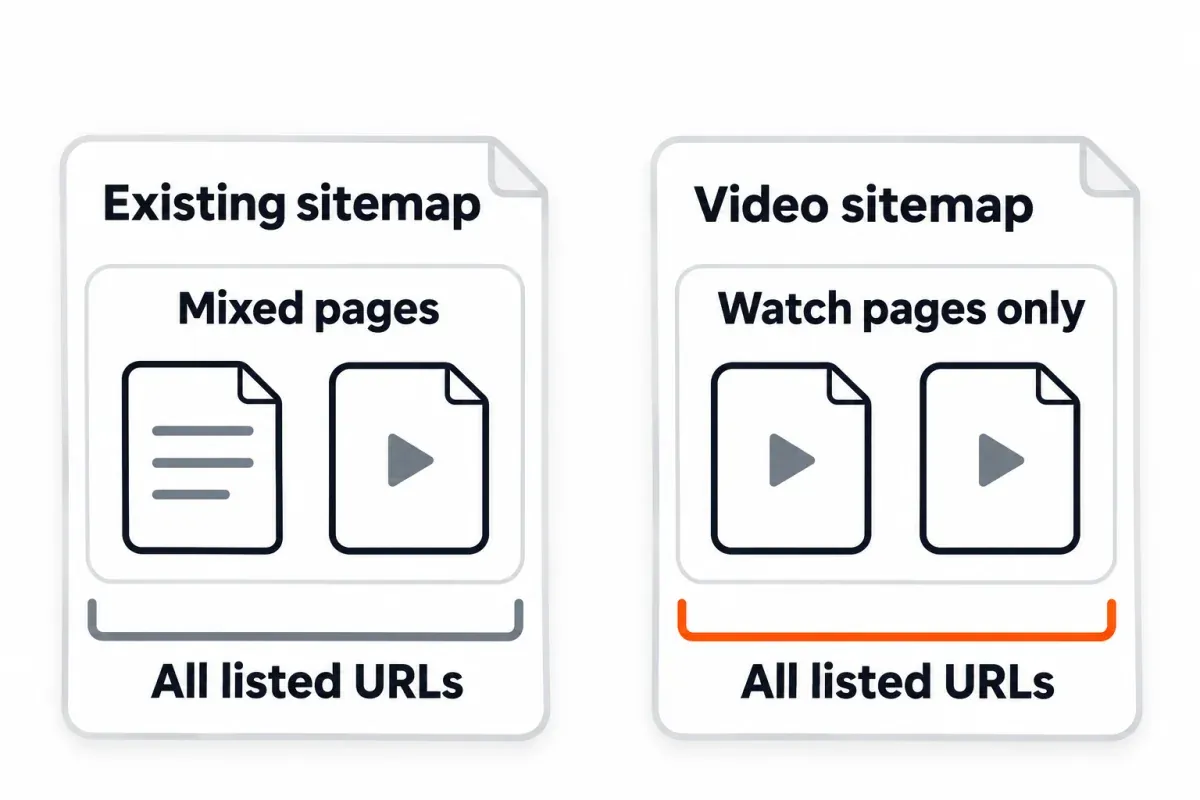
A few videos and a CMS that already spits out your main sitemap? Just add the tags there. The video namespace goes on <urlset> once. From there, nest a <video:video> block inside every video page's <url>. One quirk our tests caught: the sitemaps.org schema puts extension elements after <lastmod>, <changefreq>, and <priority>, so if you place <video:video> before <lastmod>, the validator rejects the file at <lastmod>. Under one <url>, image and video blocks can go in whatever order, so long as both namespaces are declared up top.
Past a handful of watch pages, a separate video sitemap starts earning its keep. You get to submit it on its own, read its Discovered videos count in the Sitemaps report, and filter the Video indexing report by that sitemap.
That filter matches on URLs listed in the sitemap and ignores whether they even carry video tags, so pointing it at a main sitemap with a few video blocks sprinkled in tells you far less than filtering a file holding nothing but watch pages. The filter also only works for sitemaps submitted in Search Console or listed in your robots.txt file.
For large libraries, the per-file limits are 50,000 URLs and 50 MB uncompressed, from Google's build-and-submit sitemap page.1 A sitemap index is a list of files, up to 50,000 child sitemaps, and they all have to sit on the same site.5 The index itself knows nothing about video, so it uses the plain siteindex.xsd.
My default? Separate video sitemap once a site has more than a handful of watch pages, or when I want the per-sitemap reporting. Video tags folded into the existing sitemap? That one fits when the CMS already generates it and the video count is low.
Video sitemap vs VideoObject structured data (video schema)
A video sitemap and VideoObject structured data (what folks call "video schema") both help Google find and describe your videos. They aren't the same tool though, and the "sitemap for discovery, structured data for context" line going around is only half correct. Google's video SEO guide treats both as metadata sources for the same content, right next to Open Graph.
The real split is what each one carries, and which Search Console reports read them.
| What you need | Video sitemap | VideoObject structured data |
|---|---|---|
| List videos without editing page templates | Yes | No |
Key moments (Clip or SeekToAction) |
No | Yes |
LIVE badge (BroadcastEvent) |
No | Yes |
| Video rich result report in Search Console | No | Yes |
| Discovered videos count per sitemap | Yes | No |
| Required fields | thumbnail_loc, title, description, and one of content_loc or player_loc |
name, thumbnailUrl, uploadDate |
Using both? Across every source, the title, thumbnail URL, and video URL need to match exactly. Google's Video indexing report help calls this out directly.3 When metadata disagrees, Google may pull fields from different sources, and a thumbnail URL mismatch can show up as "No thumbnail URL provided." One thumbnail URL per video, used everywhere.
Which one belongs where:
- Self-hosted video on watch pages? Run both. The sitemap handles discovery and gives you a per-file report. Structured data brings key moments and the Video rich result report.
- For a YouTube or Vimeo embed on your own watch page, lead with structured data. Google calls the sitemap optional for these.2
- A large library on a CMS where you cannot edit page templates: the sitemap. It needs no template changes.
- Key moments, chapters, or livestream badges: use
VideoObjectinstead. A sitemap cannot carry them.
How to build a video sitemap: by hand, from a CSV, or with a plugin
A handful of watch pages? Hand-writing the video sitemap is fine. Take the template from above. Don't shuffle the element order. Run xmllint before every submission.
Past that point, generate the file from whichever system already has your video data. The script below reads a CSV of videos and writes out a video sitemap with elements in schema order. Written for sites where the videos live in a spreadsheet or database export, and the CMS won't drop video tags in on its own.
CSV to video sitemap: a tested script
Needs Python 3.9 or newer. Standard library does the work, so no pip install. It writes required tags in schema order and lets ElementTree handle escaping for &, <, and >. The script halts and prints the CSV line whenever a required field is missing, the title runs past 100 characters, the description past 2,048, the duration isn't whole seconds in Google's 1-to-28,800 range (tighter than the schema), or both content_url and player_url come up empty on a row.
#!/usr/bin/env python3
"""Build a video sitemap from a CSV file. Python 3.9+, standard library only.

Usage:  python3 csv_to_video_sitemap.py videos.csv video-sitemap.xml

CSV header: page_url,thumbnail_url,title,description,content_url,player_url,duration,publication_date
Required: page_url, thumbnail_url, title, description, and content_url or player_url.
Leave optional cells empty. Rows with the same page_url share one <url>.
"""
import csv
import sys
import xml.etree.ElementTree as ET

SM = "http://www.sitemaps.org/schemas/sitemap/0.9"
VIDEO = "http://www.google.com/schemas/sitemap-video/1.1"
ET.register_namespace("", SM)
ET.register_namespace("video", VIDEO)

TAGS = [("thumbnail_url", "thumbnail_loc"), ("title", "title"),
        ("description", "description"), ("content_url", "content_loc"),
        ("player_url", "player_loc"), ("duration", "duration"),
        ("publication_date", "publication_date")]


def problems(row):
    found = [f"missing {c}" for c in ("page_url", "thumbnail_url", "title", "description") if not row[c]]
    if not (row["content_url"] or row["player_url"]):
        found.append("missing content_url and player_url (one is required)")
    if len(row["title"]) > 100 or len(row["description"]) > 2048:
        found.append("title over 100 or description over 2048 characters")
    if row["duration"] and not (row["duration"].isdigit() and 1 <= int(row["duration"]) <= 28800):
        found.append("duration must be whole seconds, 1 to 28800")
    return found


def build(csv_path):
    urlset, pages = ET.Element(f"{{{SM}}}urlset"), {}
    with open(csv_path, newline="", encoding="utf-8-sig") as f:
        for line, raw in enumerate(csv.DictReader(f), start=2):
            row = {k: (v or "").strip() for k, v in raw.items()}
            if problems(row):
                sys.exit(f"line {line}: " + "; ".join(problems(row)))
            if row["page_url"] not in pages:
                pages[row["page_url"]] = url = ET.SubElement(urlset, f"{{{SM}}}url")
                ET.SubElement(url, f"{{{SM}}}loc").text = row["page_url"]
            video = ET.SubElement(pages[row["page_url"]], f"{{{VIDEO}}}video")
            for column, tag in TAGS:
                if row[column]:
                    ET.SubElement(video, f"{{{VIDEO}}}{tag}").text = row[column]
    return ET.ElementTree(urlset)


if __name__ == "__main__":
    tree = build(sys.argv[1])
    ET.indent(tree, space="  ")
    with open(sys.argv[2], "wb") as out:
        tree.write(out, encoding="UTF-8", xml_declaration=True)
        out.write(b"\n")
    print(f"wrote {sys.argv[2]}")
Bad row? Expect the CSV line plus every issue the script spotted on it. Exit code? Non-zero, so the build pipeline halts right there:
$ python3 -I csv_to_video_sitemap.py videos-bad.csv bad.xml
line 2: missing thumbnail_url; missing content_url and player_url (one is required); duration must be whole seconds, 1 to 28800
Change the column names and the TAGS list so they line up with what your system actually stores. The script doesn't check date formats or URL reachability. Push the output through xmllint, open a few URLs in a browser, and only then submit.
CMS plugins and video hosts
Plenty of WordPress SEO plugins, online video sitemap generators, and video hosts can build the file for you, or just slip video tags into whatever sitemap they're already producing. Some gate the feature behind a paid add-on. Quality varies and features shift, so test whatever yours produces. Run it through the same xmllint command, grep for the removed tags, and keep an eye out for a "notify search engines" or "ping Google" button that silently does nothing these days. Confirm the plugin lists only watch pages. One that adds every page with an embed puts blog posts and product pages in the file, the kind of "video unrelated to the content of the host page" Google's docs tell you not to list.
Submit the video sitemap, then read what Google tells you
Google's build-and-submit page lists three ways to submit a video sitemap. The Sitemaps report inside Google Search Console (you'll need owner permission on the property). A Sitemap: line anywhere in robots.txt (no permission, no cap on how many). Or the Search Console API. Submitting is a hint to Google, not a guarantee. Submit outside Search Console and the sitemap only reaches URLs under its parent directory; submit inside Search Console and the URLs can span the whole property.1
Not sure which property to pick? Our guide on Google Search Console domain vs URL prefix walks through both property types and when each one fits. For WordPress sites, our walk-through for adding Google Search Console to WordPress covers the verification side.
Watch the Sitemaps report once Google processes the file. The "Discovered videos" column is the one to track: it is the number of video URLs Google parsed, not the number indexed.6 The video-specific errors in the Sitemaps report tell you where the file broke:
- Missing thumbnail URL
- Missing video title
- Thumbnail too large or too small
- Video location and play page location are the same (
content_locequalsplayer_loc) - Video location URL appears to be a play page URL (
content_locpoints at the watch page, not the file)
Plus the general errors that bite here too: Incorrect namespace, Invalid date, and "Sitemap contains urls which are blocked by robots.txt". Sitemaps picked up from robots.txt never show in the Sitemaps report, which only lists what you submit directly or through the API.
You'll find the Video indexing report at Search Console's search-console/video-index. It has two statuses, Video indexed and No video indexed, and it counts pages, not videos. Only indexed pages appear in it. You can filter by sitemap, with the quirk mentioned above.
Video isn't on a watch page, and the other reasons a video isn't indexed
The Video indexing report lists 14 reasons a page's video did not make it. "Video isn't on a watch page" is the one that questions the page itself rather than the file, so read it first. What follows is the full list, with the thumbnail reasons grouped together and Google's fix called out when it has one.
| Reason | What it means | Fix |
|---|---|---|
| Video isn't on a watch page | The video doesn't seem to be the page's main content | Make the video the main content; try moving the video container higher in the page HTML; or accept it for pages that are not watch pages |
| Cannot determine video position and size | The player isn't on the page when it loads, often an image of a player that has to be clicked | Load the player at its actual size and position on page load, without user interaction |
| MRSS failure; try using schema.org instead | Google had a problem processing your mRSS description of the video | Describe the video with VideoObject structured data, as the reason suggests |
| Thumbnail problems (no URL, bad format, bad size, blocked by robots.txt, transparent, hostload, unreachable, invalid) | Google could not get a usable thumbnail | Serve a stable URL, allow Googlebot and Googlebot Images, use a supported format, keep it mostly non-transparent |
| Video not processed yet | The video is still being processed | Check back in a few days |
| Video not processed | Google found the video but decided not to index it | Serve the video and thumbnail from stable URLs, then re-check |
| Video not found on host service | The video is missing from the hosting service, or the service is private and Google's crawler can't reach it | Look the video ID up on the service, then fix the ID or URL on your page |
Start with whichever reason hits the most pages. Most of the time, the fix lives in a template or a CMS setting, and one change wipes out a batch of rows at once. After each fix, inspect one of the affected pages with URL Inspection (its Video indexing section shows the video details Google has for that page), then hit Validate fix in the report. "Last crawled" in the report is the page's last crawl, not the video's.
A watch page that isn't indexed won't show up in this report, since it covers indexed pages only. Fix the page first, with the two indexing guides linked in the watch-page section.
Measure the result: video search data and your watch pages' clicks
Two Search Console numbers matter after you submit, and they are not interchangeable.
Search type Video, in the Performance report, counts clicks and impressions from Google's Videos tab (the dedicated video search results surface), according to Search Console's Performance report help. The Videos search appearance, in the same report, counts videos shown in regular Google Search results and in Discover, including carousels. A video can appear in one, both, or neither, so check both.
The Video indexing report's impression counts can differ from the Performance report's too, because Google aggregates them differently.
To pull both at once past the 1,000-row cap, our guide on bulk exporting Search Console data walks through the setup; the Video search type exports as its own type field, so you can slice on it in your warehouse.
For the pages themselves, I track each watch page's total clicks week over week. SEO Heatmap shows each page's clicks on a weekly heatmap (also monthly or quarterly), with URL and growing/falling filters and an AI insights panel highlighting top gainers and losers. It is free for one Search Console property. It won't isolate the Video search type (the Performance report does that), but it shows at a glance whether a batch of newly eligible watch pages gained or lost traffic after the sitemap went live.
Just submitted a video sitemap? Open your watch pages in SEO Heatmap's Pages heatmap on the weekly view: clicks climbing on the pages Google just indexed are the result you want.
Frequently asked questions
Do I need a video sitemap if my videos are YouTube or Vimeo embeds?
Not required. Can still help. For third-party embeds, Google calls the video sitemap entry optional and nudges you toward structured data. Each embed on its own watch page? List those watch pages in the sitemap. The embed URL goes in player_loc. Skip content_loc entirely.
Can a video sitemap be part of my regular sitemap, or does it need its own file?
Either. Google calls it your choice. A dedicated file, or video tags inside your existing sitemap. A separate file gets you a solo submission, plus its own Discovered videos count and the sitemap filter inside Search Console. Tags inside the existing file save you one deployment and work well when the video count is small.
Which tags are required in a video sitemap?
Four. Every <video:video> block carries three: thumbnail_loc, title, and description. After those, pick one: content_loc for the file or player_loc for a player URL. The surrounding <loc> tag names the watch page itself. The schema skips the requirement to supply content_loc or player_loc, so a file lacking both still clears validation. Your build pipeline has to catch that.
How many videos can one video sitemap hold?
The build-and-submit sitemap page from Google puts the cap at 50,000 URLs and 50 MB uncompressed per file. Multiple videos on one page? Nest several <video:video> blocks inside a single <url>. Google still only indexes one video per page though. Larger libraries? Split your videos across several files and link them all from a sitemap index.
Does a video sitemap replace VideoObject (video schema) structured data?
No. They overlap, but key moments (Clip or SeekToAction), the LIVE badge (BroadcastEvent), and the Video rich result report in Search Console only come from VideoObject structured data. A video sitemap is the way to list videos without editing page templates. It's also what the Sitemaps report counts. For self-hosted video on watch pages, run both.
Why does Search Console say "Video isn't on a watch page"?
Google read the page and judged the video wasn't the main content. The usual fixes: make the video the main content, lift the video container higher in the page HTML, or just accept the reason on pages that aren't watch pages. Non-watch pages can still show up as text results or as Image results with a video badge, so this reason is not always a problem to fix.
How do I check that Google read my video sitemap?
Check two places. The Sitemaps report shows whether the file was fetched, the "Discovered videos" count, and any video-specific parse errors it hit. The Video indexing report, over at search-console/video-index, counts how many pages with videos got indexed and spells out why the rest didn't, and you can filter it by a submitted sitemap.
Can I use an HLS or YouTube URL in content_loc or player_loc?
Yes, with a split. M3U8 is on Google's supported file list for content_loc. YouTube and Vimeo embed URLs go in player_loc, not content_loc. Google's own examples do the same. Keep content_loc and player_loc different URLs, and neither one equal to the page <loc>.
Adding video sitemaps across a site? SEO Heatmap lays out every watch page's clicks by week, month or quarter, so you can see which pages picked up traffic once Google indexed their videos. It's free for one Search Console property.
Sources (6)
SEO Heatmap Knowledge relies on primary sources: Google's documentation, web standards, peer-reviewed research, and vendors' own pages for their pricing and features. Our editorial standards
- Google Search Central. “Build and Submit a Sitemap.”
- Google Search Central. “Video SEO Best Practices.”
- Google Search Console Help. “Video indexing report.”
- Google Search Central Blog. “Sitemaps ping endpoint is going away.”
- Sitemaps.org. “Sitemaps XML Format.”
- Google Search Console Help. “Sitemaps report.”

