

Summarize this article with AI
You've got Search Console open and a page that's sat just off the top for weeks. What's the smallest change you can ship today, with any confidence, to help it along? That's the question behind most searches for SEO quick wins. The guides that rank for it mostly answer with long tip roundups, and some promise guaranteed traffic.
This one skips the roundup. Up top is a four-question test for what qualifies as a quick win, with a simple score so you don't start at the wrong end. Then the checklist, by category: on-page, internal links, small content repairs, narrow technical fixes, and local SEO if customers meet you in person. Columns in each row? Signal, fix, check. You'll also see how to tell whether a change worked without faking a cause, plus a few popular "quick wins" to skip.
Let's start with what actually counts.
What counts as an SEO quick win
An SEO quick win is a small, low-risk change to an existing page or setting that you can ship in hours, on a page where you already have evidence of a problem or of unused demand. "Quick" describes the work, not the result.
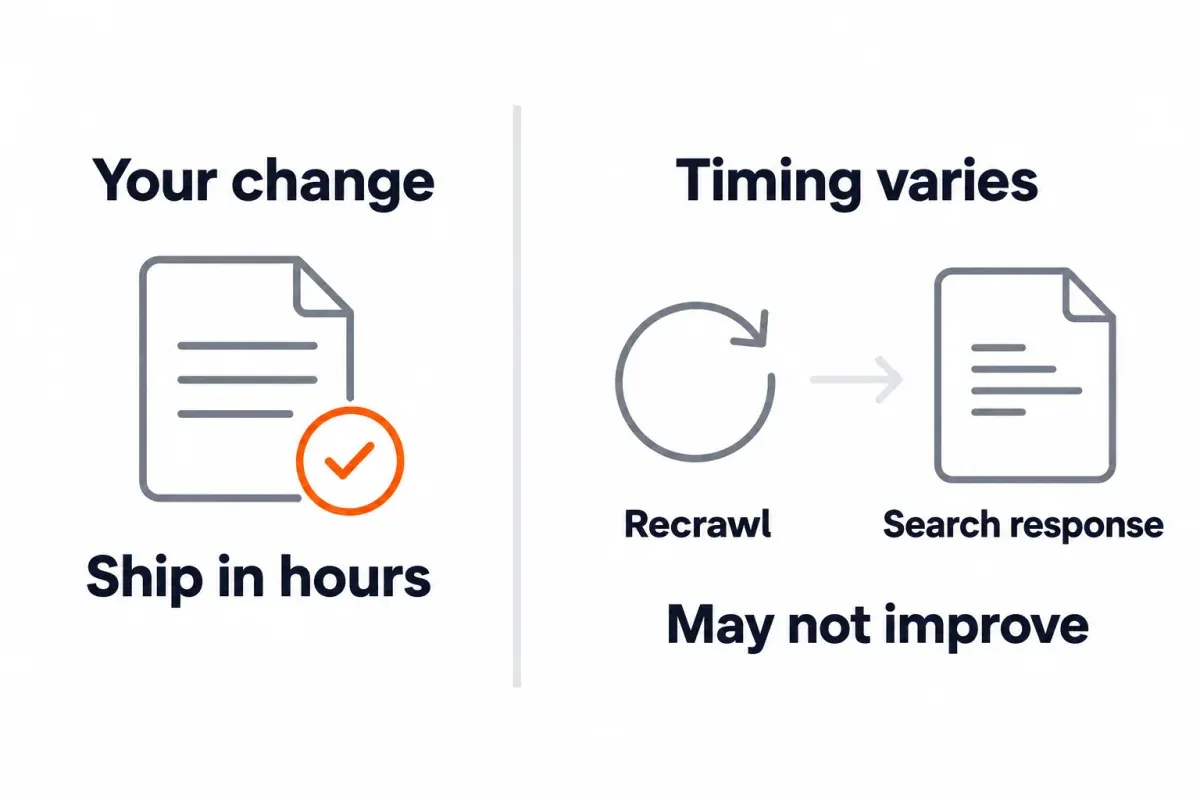
Google can take days to weeks to recrawl a page. After that, Google's own line is hours to several months before changes show in Search, and some never do. Factor that gap in before you give anyone a date.
Run every candidate through this four-question test:
- Is there a signal on the page? Impressions in Search Console count. So does a broken internal link, a wrong directive, or a question nothing on the page answers.
- Can you ship it alone, no release train, no cross-team ask?
- Can you undo it if the read later goes the wrong way?
- Can you check that it shipped, and later whether it moved anything?
Four yeses mean you have a quick win. Any no, and it's a project. Different track for it, and move on.
Things that fail? Migrations, URL changes, page merges or deletions, nav overhauls, link-building pushes, routine disavow work. Deciding what to merge or remove is its own job, and that's what our content audit guide covers.
Key takeaways
- Effort and risk are what make it a quick win. Not a promise about how fast results show.
- No candidate skips the four-question test.
- Log the signal, the fix, and your check first, before you touch anything on the page.
- Nothing here guarantees a ranking, a date, or a traffic number.
How to choose which quick wins to do first
A stack of ideas isn't a plan. Sort by evidence and effort, then work from the top down.
Find candidates with real signals
The unit of work is a page plus the queries it gets impressions for. Looking at queries alone won't point you at a URL. Start from the page.
Open the Performance report. Filter to a single page. Then into the Queries tab, with every column showing: clicks, impressions, CTR, average position. Three signals carry weight for on-page quick wins:
- Queries pulling steady impressions where the page is parked just outside the top. Average position 4 to 15 is a reasonable band to start filtering by (not a rule).
- Queries where the page shows up but doesn't actually answer the question. The topic is in your copy; a direct answer isn't.
- A CTR clearly below those of the page's other queries at similar positions. Benchmark against the page's own baseline, not some universal CTR chart.
Quick note on average position. The number averages across whatever impressions the page actually got. Device and location change where the same query lands. An average of 11 is not a stable "page two" ranking.
A few other candidates live outside the Queries tab:
| Signal source | What it finds |
|---|---|
| Page indexing report and URL Inspection | Pages excluded, noindexed, blocked, or canonicalized to another URL |
| A crawl of your site | Broken internal links, links to redirects, missing or duplicate titles, pages with few internal links in |
| The page itself | Outdated facts, a buried answer, images missing meaningful alt text |
| Google Business Profile | Missing categories, wrong hours or phone (if you serve customers in person or in an area) |
To catch pages trending down, SEO Heatmap fits in here. It plots clicks per page across 16 months (or 16 weeks). Switch on the falling filter and you'll see which pages are losing clicks. Those are good candidates for a content repair. In the Keywords table you'll see one metric per query at a time, either clicks or average position. Handy for spotting queries parked just outside the top. Impressions and CTR? Head back to Search Console's Queries table. The free tier of SEO Heatmap covers one Search Console property.
Score impact, effort and confidence
Score each candidate on three axes, 1 to 3:
- Impact: real demand or business value sitting on the page today? 1 for barely any, 3 for a lot.
- Confidence: how directly does the signal point to this fix? 1 if it's a hunch, 3 if the evidence is right there on the page.
- Effort: how long to ship. 1 for under an hour, 2 for a few hours, 3 for most of a day.
The score is impact × confidence ÷ effort. Do the highest scores first. Fails the four-question test above? Don't score it. That's a project.
Here's how a hypothetical list sorts out:
| Candidate | Impact | Confidence | Effort | Priority |
|---|---|---|---|---|
| Important landing page set to noindex by mistake | 3 | 3 | 1 | 9.0 |
| Title on a 5,000-impression page doesn't match the main query | 3 | 2 | 1 | 6.0 |
| Business Profile missing categories and hours | 2 | 3 | 1 | 6.0 |
| Write alt text for every image on one long, image-heavy guide | 1 | 2 | 3 | 0.7 |
Top of the list is the noindex fix. High impact, high confidence, hardly any work. The alt-text pass sinks: modest impact divided by heavy effort drags it to the bottom.
Business relevance beats search volume. A page that converts takes priority over one that only pulls traffic.
The SEO quick wins checklist
Three columns per row. The signal that flags the change, the fix itself, and how to confirm it shipped. Measuring search impact is for the next section. The check column here only verifies that the change went live.
On-page fixes
Where most quick wins live. Pages already pulling impressions.
| Signal | Quick fix | How to check it |
|---|---|---|
| Title doesn't reflect the query the page gets most impressions for | Rewrite the title to match the intent truthfully; lead with the main topic | View the HTML title on the live URL |
| Meta description is missing, duplicated, or generic | Write one that says what the page delivers for that query | View the live HTML |
| The page shows for a question it answers far down, or not at all | Add a direct answer near the top of the relevant section | Read the rendered page |
| H2 or H3 headings are vague or stuffed with keywords | Rewrite them so each describes its section's content | Check the page outline |
| Meaningful images lack alt text, or have "IMG_1234.jpg" style alt | Write alt that describes the image in context; skip decorative images | View the HTML |
Title links get written by Google out of your title tag, headings, and other text sitting on the page. The result? Not always what you typed. No fixed character limit either. It just truncates for whatever device is showing it.1 Write for a human. Put the topic up front. Google has less reason to swap your text out when you do.
Same logic goes for snippets. Mostly they come out of the page body, with the meta description thrown in as one possible source. A single page can show different snippets depending on the query.2 The honest fix? Put the actual answer somewhere findable in the body, and don't stuff the description with keywords.
Internal links
Cheap, controllable fixes that help discovery and context.
| Signal | Quick fix | How to check it |
|---|---|---|
| An important page gets few or no internal links from other pages | Add contextual links to it from 2 or 3 relevant source pages that already get traffic | Crawl the source pages; confirm the link points at the target |
| Internal links go to redirected URLs | Update them to the final URL | Crawl shows the targets return 200 |
| Internal links go to 404s | Point them at the right live page, or remove them | Crawl shows no internal 4xx |
| Generic anchors ("click here", "read more") on important links | Describe the target page in the anchor | Spot-check the anchor text |
Direction matters, and this one trips people up. A link going out doesn't help the page it leaves from get found. For that, another page has to link in. What Google follows is an <a> element with an href on it. A JavaScript "link" without one may never get crawled at all. There's no official sweet spot from Google on internal links per page. A tool's quota shouldn't drive that call. Planning site-wide linking? Before you start wiring, our SEO silo structure vs. topic clusters guide helps you pick a shape.
Small content repairs
Fixes to the words on existing pages, scoped tight.
| Signal | Quick fix | How to check it |
|---|---|---|
| Facts, numbers, steps or screenshots are out of date | Update those specific parts | Compare old and new on the page; log what changed |
| The Queries tab shows a subtopic the page doesn't cover | Add a short section that answers it (only if it fits the page's purpose) | Read the rendered page |
| A section is too thin to help (a step with no detail, a claim with no example) | Expand that section | Read the rendered page |
Changing the date alone, without actually touching the words, isn't an update. Google's helpful content guidance flags that trick as search-engine-first writing.3 Got two pages chasing the same intent? Also not a quick win. That's a merge decision, and it belongs in a content audit. Our thin content guide covers the difference between thin and short. Scope each repair to a single section so you can see what actually moved.
Technical fixes, narrow in scope
Technical items are quick when they're isolated. The moment the scope widens, they're projects.
| Signal | Quick fix | How to check it |
|---|---|---|
| An important page carries a noindex it shouldn't | Remove the directive | URL Inspection live test shows indexing allowed |
| robots.txt blocks a page or resource you want crawled | Narrow the rule | URL Inspection live test shows crawl allowed; Search Console's robots.txt report shows the new file was fetched |
| A page's rel=canonical points at the wrong URL | Fix the canonical | URL Inspection shows the user-declared canonical; the Google-selected canonical can lag |
| A removed page with external backlinks still returns 404 | 301 redirect it to the closest relevant live page, not the homepage | Check the status code with curl -I or a crawler |
| The XML sitemap lists redirected, 404 or non-canonical URLs | Remove them from the sitemap | Sitemaps report, plus a crawl of the sitemap URLs |
| One diagnosed, isolated speed problem on a key template (an oversized hero image, a blocking script) | Fix that one thing | Re-run the lab test for that page; field data trails behind |
Try any technical change on a single URL first. A sitewide robots.txt rewrite, a canonical strategy change, a redirect map for a migration: none pass the four-question test. Put them in their own tracks. On the 301 vs. 302 call, our redirect guide walks through when to use each. On "Indexed, though blocked by robots.txt," our guide on that status explains when the status is harmless, and when it's a real problem.
Local SEO fixes, if you serve customers in person or in an area
If you only sell online, skip this part. Google Business Profile exists for businesses with a storefront or a service area, places customers physically meet you.
| Signal | Quick fix | How to check it |
|---|---|---|
| Business Profile has missing or wrong hours, categories, phone, or website | Complete and correct them | Check the public profile after Google publishes the edit |
| Keywords stuffed into the business name | Use the real-world name customers recognize | Check the profile |
| Address and phone on the website don't match the profile | Make the contact page and footer match the profile | Check both |
| Reviews go unanswered | Reply, starting with the most recent | Check the profile |
Local ranking turns mainly on three things: relevance, distance, prominence.4 Cleaning up the profile makes it more accurate, sure. It doesn't buy you a map-pack slot. On your Google Business Profile, use the real business name, not a keyword string. That's spelled out in Google's own guidelines, and listings with stuffed names can get suspended.5
How to check that a quick win worked
Three layers of checking: the change is live, Google has seen it, and comparable Search Console windows show something. Then log it, so future you can tell what moved and what didn't.
Confirm the change is live and Google has seen it
Live is one thing. Seen is another. The gap between the two is where most hours go missing.
Three ways to confirm live. View source on the URL. Crawl the changed URLs. Or run URL Inspection's live test. Shipped version and bot's view don't match? Suspect a cache, a CDN edge, or a draft nobody published.
For seen, pull up URL Inspection and look at the last crawl date. For a handful of important URLs, you can request indexing; there's a quota, and repeated requests don't speed anything up.6 A request doesn't guarantee indexing either, so don't treat "submitted" as "done".
Don't reach for the Indexing API for regular pages. It's not for blog posts (more on that in the skip list below).
Compare matching windows in Search Console
Wait a few weeks after Google recrawls. Then compare complete windows of the same length before and after the change, with the same filters (page, query, country, device, search type).
Search Console's compare mode supports one comparison at a time, so you can switch between windows but not stack them.7 A 28-day window is a sensible working choice for many pages, though it's a choice, not a rule from Google. Leave out the most recent 2 to 3 days, since Search Console data usually takes that long to land.
What to read, by fix type:
- Title or meta description change: the page's clicks and CTR on the target queries.
- Content repair: impressions and new queries the page shows for.
- Indexing fix: whether the page appears with impressions at all.
A quick example. Imagine a page-query pair ticks from 1.2% CTR up to 1.8%. That's 0.6 percentage points, or a 50% relative jump, depending how you frame it. Pick one, and name which you picked. If impressions dropped at the same time, clicks may not move even when CTR did.
Before and after isn't proof of cause. Look at seasonality (same weeks last year, if the 16 months of data allow). Also demand swings, position shifts, any other edits on the page, and changes to the results layout. A before/after read isn't an A/B test. Don't call it one.
For a lighter read on whether a post-change week is unusual or part of a trend, SEO Heatmap works. Across 16 weeks, the weekly heatmap plots a page's clicks. Switch on growing or falling, and the trajectory sits in context. CTR, impressions, query-level detail? Stay in Search Console's Queries table.
Log every change
Make one change per page per review window. Ship three changes together and you can't tell which one did anything.
A copyable change log, with one hypothetical row to show the shape:
date_shipped,page_url,target_query,signal,change_old,change_new,owner,live_check_date,last_crawl_date,baseline_window,baseline_impressions,baseline_clicks,baseline_ctr,review_date,review_window,review_impressions,review_clicks,review_ctr,decision,notes
2026-10-15,/blog/example-guide/,example query,"Low CTR vs the page's other queries at similar positions","Example Page | Blog","Example Guide: Steps and Checklist | Blog",SEO lead,2026-10-15,,"2026-09-13 to 2026-10-10",5000,60,"1.2%",2026-11-16,,,,,wait,"Hypothetical row for shape only"
Come the review date, one of four verbs applies:
- Keep it when seasonality, demand, and other confounders are accounted for and the comparison still holds.
- Revise if the change went live, the read is flat or negative, and a better hypothesis is ready.
- Revert if it clearly hurt and the cause is the change.
- Wait if Google hasn't recrawled, or the window is too short or too noisy to call.
When it's time to roll results up for a stakeholder, our monthly SEO report template gives you a sheet to drop them into.
Popular quick wins to skip
Several widely repeated "quick wins" are outdated, risky, or useless. Here's the short list and what to do instead.
| Advice | Why to skip it | Do this instead |
|---|---|---|
| Use the Indexing API to get blog posts indexed fast | The API only supports pages with JobPosting structured data or a BroadcastEvent embedded in a VideoObject; general articles fall outside its scope |
Request indexing in URL Inspection for a few key URLs, and add internal links from pages that already get crawled |
| Add FAQ schema to earn FAQ rich results | Google stopped showing FAQ rich results in Search in May 2026, for every site | Write FAQs for readers if they help; don't plan the page around a rich result |
| Disavow links a vendor scores as "spammy" | Google says most sites don't need disavow and misuse can hurt performance; a vendor spam score isn't evidence of harmful links Google is counting | Consider it only when a large number of artificial or low-quality links point at the site and they've caused, or are likely to cause, a manual action |
| Rewrite titles to a strict character count | There's no fixed limit; display depends on device width, and Google can rewrite titles anyway | Put the main topic early and write for the reader, not for a ruler |
| Bump the published date to look fresh | A date change without a real content change isn't an update; Google's helpful content guidance flags it as search-engine-first behavior | Change the date when you actually update the content, and say what changed |
| Chase a perfect PageSpeed score | A lab score is a diagnostic; Google's Core Web Vitals assessment uses field data from real visitors | Fix the one or two diagnosed issues on your important templates and move on |
If you've been treating any of these as the fast option, pulling them off your list is itself a quick win.
Most of the clock goes to finding the right candidates. Each page's clicks over 16 months (monthly) or 16 weeks (weekly) show up in SEO Heatmap, with a falling filter for pages losing clicks and a Keywords view for queries sitting near the top. One Search Console property is on the free tier. Connect it, work the checklist from the top, and keep the change log honest.
Frequently asked questions
How long until an SEO quick win shows results?
It depends. On the fix, the query, and when Google gets around to recrawling. Per Google, changes can show in Search within hours or take several months, and some never move anything. 'Quick' describes shipping speed, not how fast rankings move. Give it a few weeks after the recrawl before comparing any windows.
Quick win or project: how do you tell them apart?
A quick win clears four tests. There's a signal on one specific page. It's one change you can ship without pulling in another team. It's reversible. You can check that it shipped and whether it moved anything. Anything that spans templates, moves URLs, merges pages, or needs a release cycle? That's a project. Two tracks, kept apart. Mix them and a project will swallow the week you held for small fixes.
Is a title tag rewrite a quick win?
Usually yes. If the top-impression query doesn't match the current title, and the page already pulls steady impressions, that rewrite earns a slot. Lead with the real topic, be honest about what the page delivers, log both versions. Remember: those title links come from your tag, headings, and other on-page text, so the result can differ from what you wrote.
Does the Indexing API speed up blog post indexing?
No. Per Google, the Indexing API covers pages with JobPosting structured data or a BroadcastEvent embedded in a VideoObject. Regular articles sit outside that scope. For a few of your most important blog URLs, request indexing via URL Inspection. Then link in from pages Google already crawls.
Where in Google Search Console do quick-win candidates show up?
Open Performance, filter to a single URL, click into its Queries tab. All four columns on, please: clicks, impressions, CTR, average position. You're hunting for three things. Queries pulling steady impressions where the page is sitting just outside the top. Queries where it ranks but doesn't actually answer. Then CTRs that run clearly below what the same page earns on other queries at similar positions. In Page indexing, you'll see noindexed, blocked, or wrong-canonical pages. Those are quick-win candidates on their own.
Will a before/after read in Search Console prove the change worked?
By itself, no. A matched window tells you something moved. Isolate the cause? That it won't. Could be seasonality. Demand swings, other edits on the page, position shifts on those queries, a new SERP layout. Any of those. The comparison is evidence to weigh. Not an A/B test. Search Console only runs one comparison at a time anyway.
Is adding FAQ schema still a quick win?
Not for the rich result. Google pulled FAQ rich results across the board in May 2026. You won't get extra SERP real estate from the markup now. Put FAQs on a page when readers actually benefit. Building the page around a Google feature that doesn't appear anymore? Skip that.
What's a good first quick win to try?
Whatever has the highest priority score on your list, usually. No scores on anything yet? Then start with the Page indexing report. Look for pages you want indexed that are stuck behind a leftover noindex, a wrong canonical, or a robots rule. High impact, high confidence, fast to fix. Second place? A weak title tag, especially where the page is already banking steady impressions.
Running this checklist across more than a few pages? SEO Heatmap puts every page's clicks on one view, so the fallers and the climbers both pop before you pick the next quick win. Free for one Search Console property.
Sources (7)
SEO Heatmap Knowledge relies on primary sources: Google's documentation, web standards, peer-reviewed research, and vendors' own pages for their pricing and features. Our editorial standards
- Google Search Central. “Influencing Your Title Links in Search Results.”
- Google Search Central. “Control Your Snippets in Search Results.”
- Google Search Central. “Creating Helpful, Reliable, People-First Content.”
- Google Business Profile Help. “Improve Your Local Ranking on Google.”
- Google Business Profile Help. “Guidelines for Representing Your Business on Google.”
- Google Search Central. “Ask Google to Recrawl Your URLs.”
- Google Search Console Help. “Performance Report: Advanced Filtering and Comparison.”

