

Summarize this article with AI
A Google Search Console (GSC) export usually starts in the Performance report. Sort the Queries table by clicks on any site with real traffic, hit Export, and your spreadsheet ends at row 1,000. The Queries and Pages tables, and their export, stop there no matter how much more data the site has. For a Google Search Console bulk export of everything past that, you need another route.
Google's own answer is its bulk data export to BigQuery, and it isn't the right route for every job. This guide collects every route in one limits table. It sets up the BigQuery export Google's way, walks through how one obvious API call cost SEO Heatmap 40% of a month's clicks in its own sync, and ends on a free, no-code path to clicks for every page across the 16 months Search Console holds.
Match the route to the job. Don't just grab the first one some roundup names.
Why the 1,000-Row Cap in Google Search Console Exists
Google Search Console's own help documentation states it directly: when you export a report, "data is truncated to 1,000 rows of representative examples of your data" (Search Console Help).1 That cap isn't just for the file. Look at the Performance table in your browser: 1,000 rows, no more. Page indexing's example list hits the same ceiling.
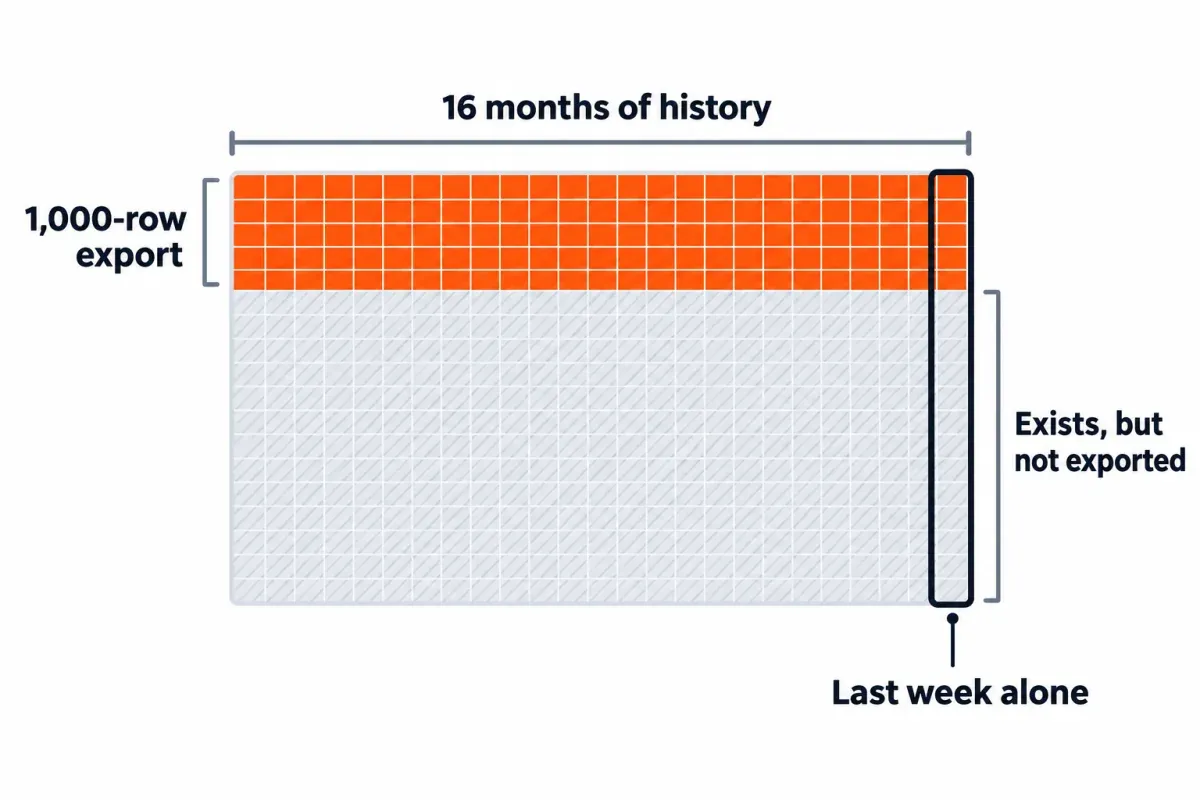
Four things sit next to that cap and matter just as much:
- The cap only hits the query and URL dimensions. Google displays and exports countries, devices and Search Appearance in full.
- That Totals row in the spreadsheet? It's the real total, not the sum of the 1,000 rows below. If your rows add up to less, part of the gap is truncation. On the Queries table, the other part is anonymized queries. They never get a row.
- Sixteen months of history is a different limit. You can hit the row cap on a single week once a site has more than 1,000 query or URL rows for that week, and you can be well under the row cap and still want data older than Search Console keeps.
- The Performance report's UI lets you switch between Daily, Weekly and Monthly views, and the export matches whichever view you picked. File name, tab name, some column headers, sort order, all of it. So pick your view first, then export.
Search Console holds more than the 1,000 rows its tables show. Everything else in this guide is a route to more of the data Google holds for your property, each with its own ceiling.
Every Google Search Console Export Route and Its Real Ceiling
| Route | Cost | Per-request cap | Per-day cap | History |
|---|---|---|---|---|
| Report export (UI button) | Free | 1,000 rows | n/a (manual) | 16 months |
| Search Console API | No published price; quotas | 25,000 rows (default 1,000) | 50,000 rows per site per search type | 16 months |
| Data Studio (formerly Looker Studio) | Free; paid Pro tier | 750,000 rows per chart export | 50,000 rows per site per search type (same as the API) | 16 months |
| GA4 Search Console reports | Free | 100,000 rows per download | n/a | 16 months |
| Search Analytics for Sheets (add-on) | Free; Pro $19/mo, Unlimited $49/mo (less yearly) | Free: fewer; Pro: 100,000; Unlimited: all available rows | API limits | 16 months, longer with scheduled backups |
| Coupler.io | Free; Starter $32/mo ($24 billed yearly) | Free 100 rows per run; Starter 5,000 | API limits | 16 months, longer with scheduled runs |
| Two Minute Reports | 14-day trial; Lite $97/mo ($81 billed yearly) | No published row limit | API limits | 16 months, longer with scheduled runs |
| BigQuery Bulk Data Export | No export fee; BigQuery bills storage and queries above its free tier | Daily dump of all rows | Not subject to the daily row limit | From setup forward, no backfill |
| SEO Heatmap | Free for one Search Console property | One-click .xlsx of clicks for every page, no row cap | n/a | 16 months (same as Search Console) |
A few things to note before any of the deep dives:
- The Search Console API doesn't have a 1,000-row wall, but if you don't set
rowLimiton a call, it returns 1,000. A script that skips the parameter gets the same rows as the button. - Looker Studio is Data Studio again, as of April 2026, and the old lookerstudio.google.com address redirects to datastudio.google.com. A chart export tops out at 750,000 rows.
- GA4's download of a Search Console report (Google Organic Search Queries or Google Organic Search Traffic) is up to 100,000 rows. The Search Console collection is unpublished by default, so publish it from the Library first.
- Coupler.io's free plan caps every run at 100 rows, so it isn't a free way past 1,000. Two Minute Reports has a 14-day trial and no free plan.
- Only routes that store data as it arrives build history past 16 months: the bulk export, and scheduled backups or runs in the Sheets add-on and the paid connectors. Nothing recovers data older than what Search Console still holds.
What Google Search Console Bulk Export to BigQuery Covers (and How to Set It Up)
Google's bulk data export is a daily dump of your Search Console performance data into your own BigQuery project. Google's blog describes it as helpful for "large websites with tens of thousands of pages, or those receiving traffic from tens of thousands of queries a day"; it says small and medium sites already have all their data through the UI, the Data Studio connector or the API.2 It covers web, image, video, news, Discover and Google News, includes anonymized queries as rows with a blank query, and isn't subject to the API's daily row limit.
The export writes to a BigQuery dataset in your own Cloud project. By default, every table and partition stays forever. Google suggests setting a partition expiration that fits your reporting (a month, six months, a year). Push it under 14 days and the export fails.
The setup process has two stages:
- In Google Cloud Console. Create or select a project with billing switched on: Google says the export's writes fail without a valid billing configuration, even with the permissions granted. Both APIs need to be on: the BigQuery API and the BigQuery Storage API. Over in IAM and Admin, give the service account
[email protected]two roles: BigQuery Job User and BigQuery Data Editor. - In Search Console. Open Settings > Bulk data export (you need Owner permission on the property). Paste the project ID (not the project number). Select a dataset name (default
searchconsole; a custom name has to start with the stringsearchconsole) and a location, which you can't easily change later. Click Continue.
The export has no backfill: for anything before your setup date, Google points you to the API or the reports. If what you actually want is last year's data, this setup won't get it for you, no matter how correctly you configure it.3
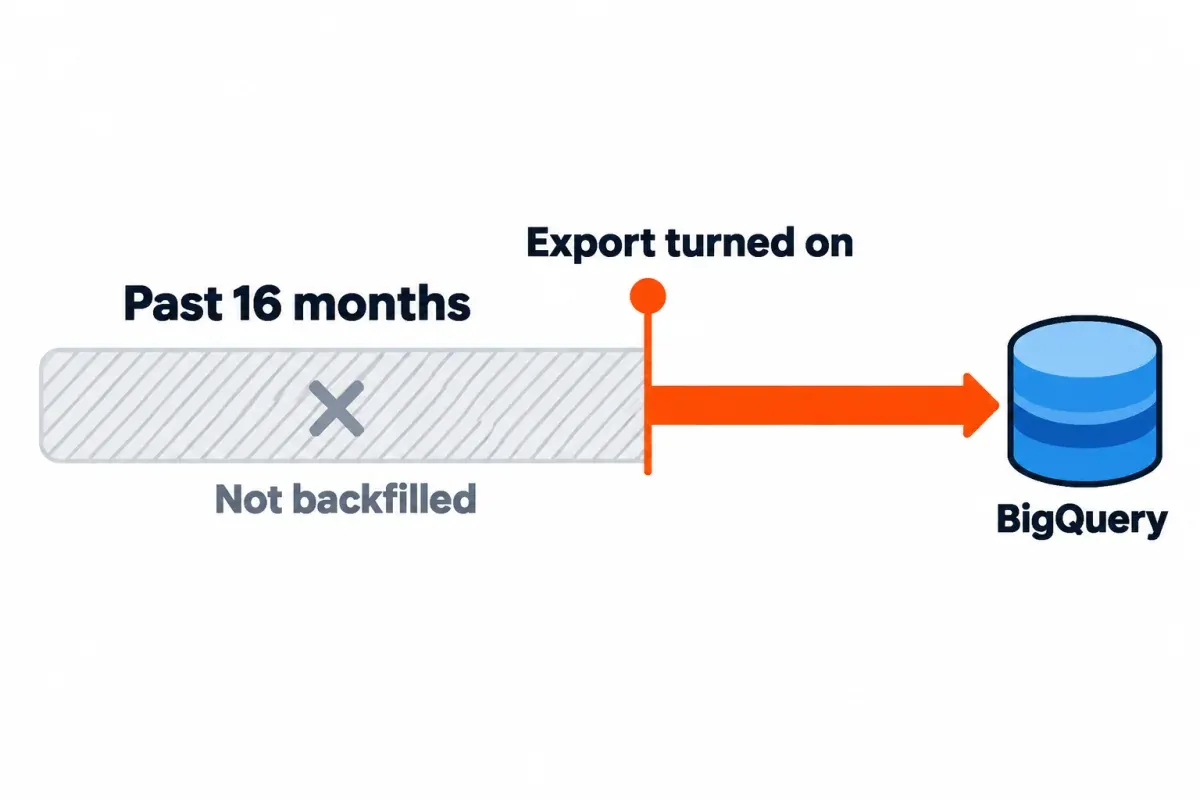
After a successful simulated export, Google emails all property owners, and the ongoing exports start within 48 hours. Three tables land in your dataset:
searchdata_site_impression: aggregated by property. Query, country, search_type, device, impressions, clicks, sum_top_position.searchdata_url_impression: aggregated by URL. The same columns plusis_[search_appearance]booleans andsum_position.ExportLog: a log of successful exports only. A failed day doesn't appear in the log, so check it for missing dates.
Rows repeat their keys, so Google's advice is that "you should almost always aggregate all your metrics".4 Average position is zero-based: calculate it as SUM(sum_position) / SUM(impressions) + 1. Anonymized queries are flagged with is_anonymized_query and come in with a blank query; filter them out with WHERE NOT is_anonymized_query, because Google says they often make up a site's single most common query. Discover rows have their own flag, is_anonymized_discover, that blanks the URL and country.
The export itself has no fee. BigQuery's monthly free tier covers your first 10 GiB of storage and 1 TiB of queries each month.5 Past that, you pay for storage and queries. In us-central1, on-demand queries then run $6.25 per TiB, and storage lands around $23.55 per TiB-month. Two habits keep that bill small. One is a partition expiration tuned to how far back you actually report (14 days, three months, six months). The other is a WHERE clause on every query, so BigQuery doesn't scan months you weren't asking about.
Dashboards come later. First, four reliability wrinkles:
- A failed day is retried for about a week, then dropped. After about a month of continuous failures, Search Console turns the export off entirely.
- The export runs once a day, though not at the same time for every table.
- One known gap, per Google's data anomalies page: February 28 and March 1, 2026 are missing from the bulk export for some properties, and nothing will backfill them.6
- Change the schema, even by one column, and the next export breaks. Push partition expiration under 14 days and it fails too.
Need to turn it off? The Deactivate export button lives under Settings > Bulk data export. Within 24 hours the exports stop, though your existing tables stick around.
What the Obvious Search Console API Call Gets Wrong
The Search Console API has no fixed 1,000-row wall, but a single call still tops out at 25,000 rows.7 Pull more than that by paging through results with startRow. Google Search Central reported in 2022 that the Search Analytics API could expose up to 50,000 rows per day per site and search type.8
Three defaults catch people out:
rowLimitis 1,000 if you don't set it. You can set it anywhere from 1 to 25,000. A quick script that leaves it out gets the button's 1,000 rows and no error.- Results are sorted by click count, descending. So a truncated response drops the low-click tail first, not the top rows. The top rows look right, and nothing tells you the rest is missing.
- The default
dataStateisfinal. Finalized data only, so the last 2 to 3 days aren't in yet. PassdataState: 'all'to include fresh data.
Google's Search Console API guide says grouping by page or query can cause its system to drop some data.9
SEO Heatmap's own sync hit the sorting problem in September 2026. It pulled monthly clicks with a single ['page','date'] request over a 16-month window, with rowLimit set to 25,000 and no paging. February 2026 came out at 4,996 clicks against 8,386 in Search Console, so 40% of that month's clicks were missing and nothing errored. Asking for page and date together returns one row per page per day, hundreds of thousands for a mid-size site, and the 25,000 the response kept were the top ones by clicks.
The fix (commit 99e6509, 2026-09-18) follows Google's own guide to getting all your data, at a coarser grain:
- One request per calendar month or ISO week, not one request for the whole window. Google's guide goes further and runs one query per day.
- One dimension at a time,
['page']or['query'], with nodateon top. Google warns that grouping by page or query can drop data, and its guide says accurate totals need both left out. rowLimit: 25000, then raisestartRowby 25,000 until a response comes back short (Google's guide pages until it gets 0 rows).- Choose
aggregationTypeon purpose. By property, an impression counts once when several of your URLs show for one query; by page, each URL counts. - Fire off a separate request for each
type: web, image, video, news, discover, googleNews.
None of this lifts the 50,000-rows-a-day data limit, and it won't recover the rows Google drops on grouped pulls. It stops your own request from cutting the tail first.
Why Your Exported Numbers Don't Match Search Console
Export the same date range to a spreadsheet, to Data Studio, to BigQuery and to your own API script, and the totals can come out four different ways. Check these four causes first:
- Anonymized queries. Queries not issued by more than a few dozen users over a two-to-three month window never show up as rows in the Queries table or in the API. They are still in the chart totals, which is why summed rows run below the chart total unless you filter by query (and if you do, "containing" plus "not containing" don't add up either). Bulk export has them as rows, flagged
is_anonymized_querywith a blank query; Google says they often make up a site's single most common query. - The Totals row is the actual total. When you export a Performance report, the file carries "actual totals, not totals with any row limits applied". Your truncated 1,000-row table and the Totals row aren't trying to agree.
- By page versus by property. By property, an impression counts once when several of your URLs show for one query. By page, each URL that showed counts. Bulk export's two tables show the difference cleanly; the API controls it with
aggregationType. - Final versus fresh data. The API's default
dataState: 'final'leaves out the last 2 to 3 days. Data Studio's Search Console data sources refresh every 12 hours. GA4's Search Console reports lag by 48 hours.
If exported numbers come in low, start with anonymized queries and the fresh-data gap before suspecting the tool.
A Free, No-Code Route to Clicks for Every Page
If what you want is clicks for every page Search Console reports, past the 1,000-row cap, with no Cloud project and no code, SEO Heatmap does it on top of the same API. It's free for one Search Console property: sign in with Google, select the property, and the first import pulls each month and each week from GSC with the paged requests described above. The heatmap holds the same 16 months Search Console does.
What the export gives you:
- One click on Export downloads an Excel workbook (
.xlsx) that opens in Excel or Google Sheets: one row per page, one column of clicks per period, plus Median, Max and Delta columns and a TOTAL row. - Every page your filters leave on screen goes into the file, with no row cap. The filters are URL text ("contains /blog/" or "doesn't contain") and a growing-or-falling streak.
- Pick Weekly (16 weeks), Monthly (16 calendar months) or Quarterly before you export, and the file follows.
- The numbers are clicks per page, not per keyword. For impressions, CTR or position per page, use Search Console's own export, the API or the bulk export.
For a wider map of what else sits beside Search Console in that role, see our Search Console alternatives post.
What to Do With the Export
An export is step one. These four checks pay off on repeat. Each needs impressions, position or queries, so run them on Search Console's own export, the API or BigQuery.
- Pages with an average position of 11 to 20. Position in Search Console is an average across queries. A page sitting at 11 to 20 isn't necessarily on page two. A sharper title can nudge it up. If that doesn't move it, rework the section the query hits, or point internal links at it from your best performers. Google's own advice is to watch impression and click trends, not just position.
- High-impression pages with low CTR. Google says a low CTR can mean users see the page in results but don't think it answers their query. Fix the title and description first. If the query intent has shifted, adjust the on-page content after that.
- Pages where clicks fall while impressions hold. Google's own traffic-drop guide points to the title and snippet, or to a competitor whose rich result looks more appealing. If impressions hold steady, Google's still showing the page.
- Queries split across two of your URLs. Cover the same ground on both URLs? Merge them, or point a canonical at one, and the signals consolidate. This one's a judgment call. Two pages that serve different jobs for the same query? That's a reason to keep both, not a bug.
Run as a one-off, these checks hold up. Run them every reporting cycle on thousands of rows and they get tedious fast, which is where the next piece earns its keep.
Feeding the Export to Claude Code or ChatGPT
AI tools handle a clean Search Console export without a single VLOOKUP. ChatGPT handles XLSX, XLS, CSV and TSV. Spreadsheets cap near 50 MB. Free users get 3 file uploads a day, with 80 files every three hours as the ceiling. Claude handles CSV and XLSX (you'll need code execution and file creation turned on for XLSX). Chat uploads cap at 500 MB per file, 20 files per chat. Claude Code reads local files directly.
Once the file's in, ask it to find:
- Pages trending up or down across the full window, not just the latest month.
- Content showing early decay before the drop lands in a monthly report.
- Striking-distance pages worth a quick title or section pass.
- Queries where two of your URLs split the clicks and could be merged or canonicalized.
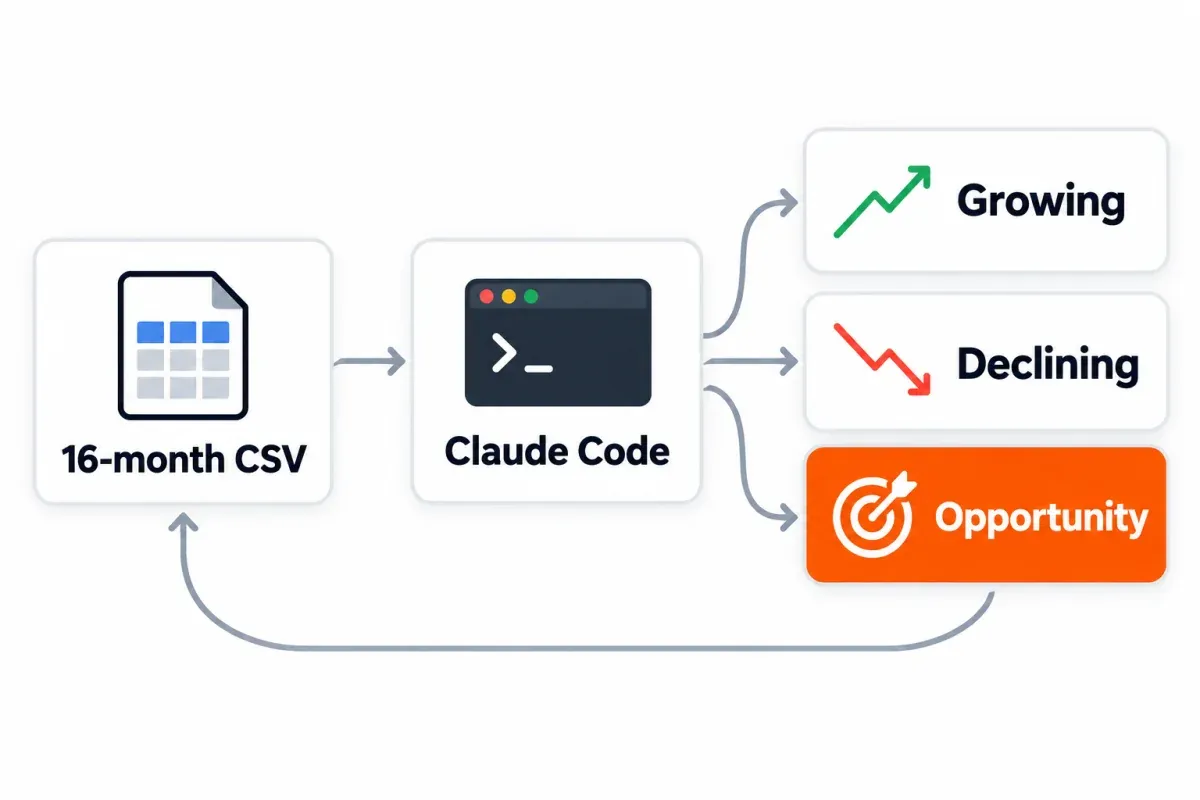
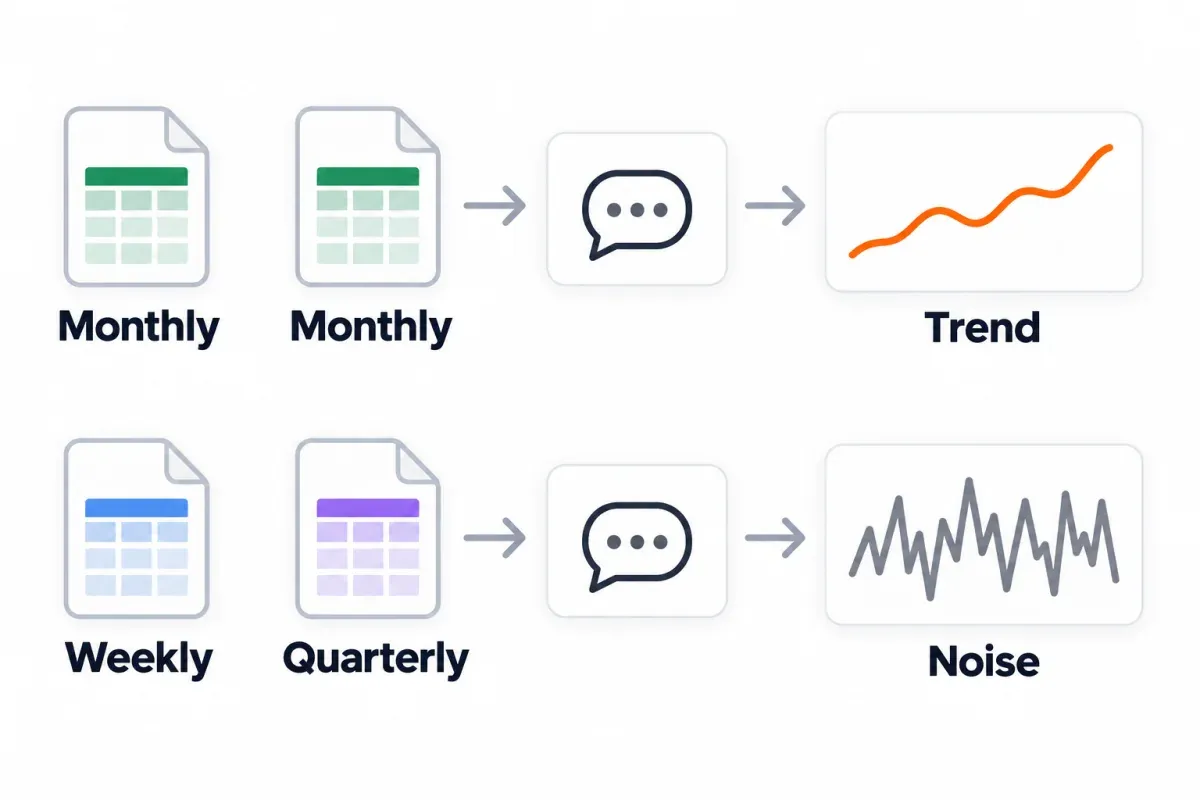
Settled site? Monthly or quarterly works. Right after a launch, weekly. Keep the dimensions constant and feed the same file shape every cycle. For prompts and workflows that run on your own Search Console pulls, see our Claude SEO workflows post.
Frequently asked questions
What is Google Search Console bulk data export?
Google's bulk data export is a daily dump of your Search Console performance data into your own BigQuery project. You get web, image, video, news, Discover and Google News. The data lands in three tables: searchdata_site_impression, searchdata_url_impression and ExportLog. Google positions it for large websites with tens of thousands of pages or queries a day; smaller sites get the same data through the UI, Data Studio or the API.
Is the Search Console bulk data export free?
The export itself has no fee. Each month, BigQuery's free tier covers 10 GiB of storage and 1 TiB of queries before anything's billed. Past that, on-demand queries in us-central1 come to $6.25 per TiB, with storage near $23.55 per TiB-month. To hold that bill down, set a partition expiration and put a date restriction on every query.
Does Google backfill the bulk export with my earlier Search Console data?
No. The first export lands within about 48 hours of a successful setup, and nothing earlier gets pulled in. If you want the 16 months Search Console already holds, use a UI export, the API, Data Studio or a visualization layer; turn the bulk export on now and let it accumulate forward.
Is the Search Console API free?
The Search Analytics API has published quotas rather than a price tag. On top of that, a Google Cloud project with the API switched on, plus an OAuth client. A single call returns up to 25,000 rows (1,000 if you don't set rowLimit), and Google exposes at most 50,000 rows per day per site per search type.
Why do my exported numbers not match Search Console?
Start with four causes. Anonymized queries skip the Queries table and the API, but they still land in the chart totals. The UI export's Totals row is the real total, not the sum of the 1,000 rows below. By-page and by-property aggregation count the same clicks differently. And the API's default dataState: 'final' leaves out the last two to three days.
Can I get past the 1,000-row cap without code or a Cloud project?
Yes. Data Studio reads the Search Console connector directly and exports up to 750,000 rows per chart. The Search Analytics for Sheets add-on pulls into Google Sheets with scheduling on its free plan. SEO Heatmap is free for one Search Console property and exports clicks for every page, across the 16 months Search Console holds, in a one-click .xlsx file.
How many rows will Google Search Console export at once?
A report export from the UI tops out at 1,000 rows on the query and URL dimensions; countries, devices and Search Appearance come down in full. The API returns up to 25,000 rows per call, within a data limit of 50,000 rows per day per site per search type. BigQuery's bulk export isn't subject to that daily limit; it writes every day's data as it lands.
How often does Google's bulk export update, and what happens when a day fails?
The export runs daily, with no fixed per-table time. A failed day retries for about a week before it drops. After roughly a month of continuous failures, Search Console stops the export entirely, so check ExportLog on a schedule for days that never landed.
If you want clicks for every page across the full 16 months without picking a route, writing SQL or paying a seat, open SEO Heatmap on your own Search Console property and export the heatmap with one click. It's free for one property.
Sources (9)
SEO Heatmap Knowledge relies on primary sources: Google's documentation, web standards, peer-reviewed research, and vendors' own pages for their pricing and features. Our editorial standards
- Search Console Help. “Export data directly from a Search Console report.”
- Google Search Central. “Bulk data export: a new and powerful way to access your Search Console data.”
- Search Console Help. “Start a new bulk data export.”
- Search Console Help. “Table guidelines and reference.”
- Google Cloud. “BigQuery pricing.”
- Search Console Help. “Data anomalies in Search Console.”
- Google Search Console API. “Search Analytics: query.”
- Google Search Central. “A deep dive into Search Console performance data filtering and limits.”
- Google Search Console API. “Getting your performance data.”

