

Summarize this article with AI
Your Search Console export has query rows, clicks, and average positions. Which page should each query go to? You want that answered before a brief exists, along with a clear sense of which numbers the report can really back. Skip that step and using ChatGPT for SEO gets risky fast, because a slick reply will happily make the call for you.
We'll work through query clusters and a verified content brief, with prompts you can copy for drafting and technical checks. There's also the separate work of appearing in ChatGPT answers, which we'll cover to help you choose a task before opening a chat.
For task-by-task templates, use our 18 ChatGPT SEO prompts. Each prompt names the input data, requested output and a check you can run.
TL;DR: two different approaches to ChatGPT for SEO
ChatGPT can sort your SEO data and help draft copy from it. Getting visibility in its answers takes separate work. Start by checking the input's date range and filters, along with the page context. Clusters and briefs make useful drafts. Search volumes, keyword difficulty scores, or explanations for lost rankings need outside evidence if ChatGPT generates them.
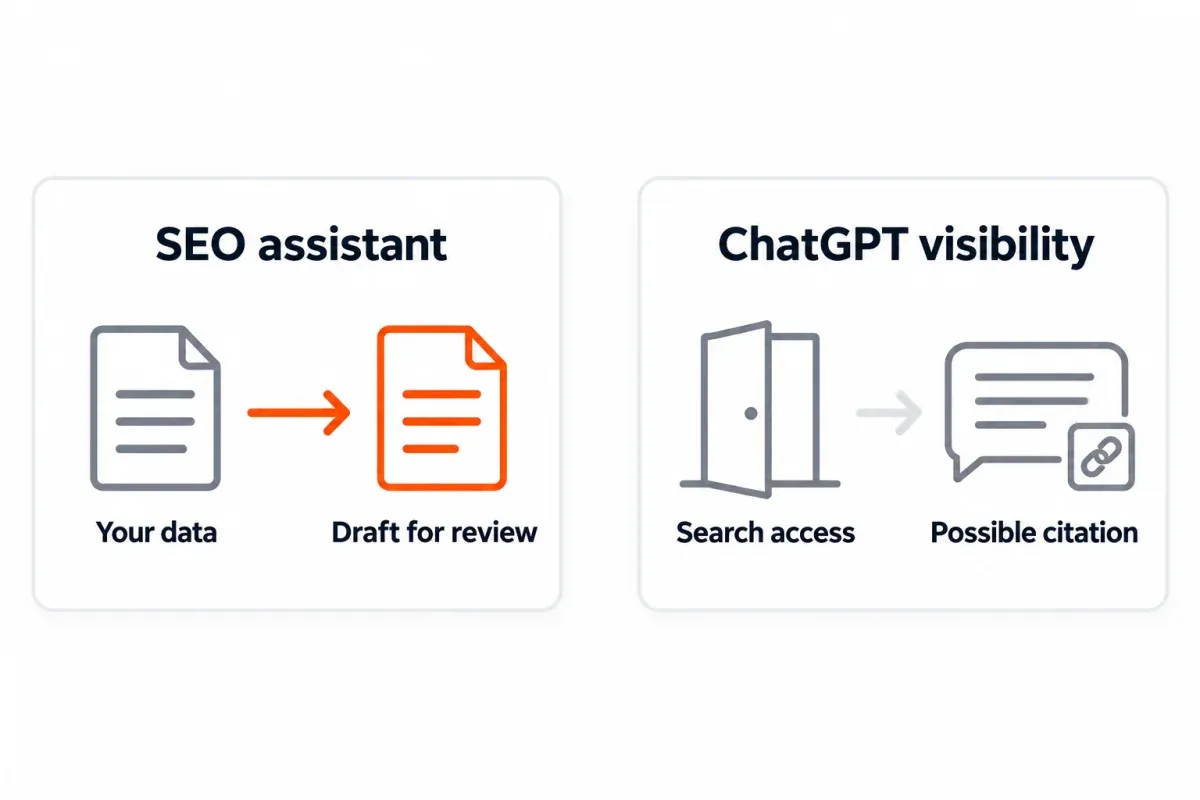
Decision table: using ChatGPT for SEO vs. optimizing for ChatGPT
A good brief doesn't make a page appear in ChatGPT Search. Pick the job before choosing the input.
| Job | What you feed it | What you get back | Where it fails | Where to start |
|---|---|---|---|---|
| Use ChatGPT as an SEO assistant | Search Console rows, page text, reviewed competitor excerpts | Proposed clusters, briefs, outlines, meta drafts, audit notes | Missing context can become invented metrics or generic copy | Job 1 |
| Improve visibility in ChatGPT answers | Work on crawl access, relevant pages, and credible mentions | Potential opportunities to be found and cited | Access and mentions don't guarantee inclusion | Job 2 |
Identify the source report. Search Console's Performance Queries export needs a page filter or joint page/query dimensions to support URL assignments.1 Don't assign sitewide queries to URLs without that mapping.
What ChatGPT does well and where it hallucinates
For each output, I ask: can I trace this back to the input? Where did that keyword difficulty column come from? If there's no answer, I stop, even with a tidy table.
| Task | Trust level | What to check |
|---|---|---|
| Cluster supplied queries | Useful draft | Intent, omitted rows, and queries assigned to the wrong group |
| Write briefs, outlines, or reword supplied text | Useful draft | Whether the result preserves the meaning and adds a useful angle |
| Draft meta titles and descriptions | Useful draft | Page accuracy, character counts, and repeated wording |
| Draft schema from visible page content | Verify first | Supported properties, factual values, and validation results |
| Suggest robots.txt, redirect, or hreflang changes | Verify first | Actual configuration and behavior on test URLs |
| Propose internal links or audit pasted HTML | Verify first | Live destinations and what the supplied HTML includes |
| Generate search volume, difficulty, or backlink counts | Don't trust unsupported output | A named data source and a matching measurement |
| Supply statistics, quotes, or citations | Don't trust unsupported output | The original claim, page, and context |
| Explain ranking losses or report live positions | Don't trust the answer alone | Dated reports, page evidence, and competing explanations |
Paste an export and ChatGPT can analyze it. That doesn't give it access to your property or current search results.
Google's spam policies cover scaled content abuse when the aim is to manipulate rankings instead of helping users.2 Check AI drafts for useful answers backed by accurate claims and evidence. A human rewrite doesn't fix an empty draft.
Job 1: let ChatGPT do some of the SEO legwork
The prompts in this section all follow one pattern, which is most of what keeps the output usable: you give a role, your real input and a single task, plus constraints, the format you want back and a way to check it. Switch to different input for later drafts and you'll watch unsupported facts creep back in.
Confidential material comes out before you paste. The export and prompt both need the property, date range, search type, and any filters you applied.
Keyword research from your Search Console export
Start small. Around 200 rows from the Queries export in Search Console's Performance report is plenty for one chat. Leave the clicks, impressions and average position columns in, and if you're picking a URL to update, bring the page mapping too. For a larger input, see our bulk Search Console export guide.
Queries averaging positions 11 through 20 make a good review pile, and that's all they are (no win is guaranteed). Check page fit and business value before opening a writing task.
Role: SEO analyst reviewing my supplied Search Console data.
Input: Paste 200 exported query rows with clicks, impressions,
average position, date range, filters, and page mapping if available.
Task: Cluster queries by topic and likely intent. Flag supplied
average positions from 11 through 20 for page review.
Constraints: Do not invent volume, difficulty, URLs, or metrics.
Keep ambiguous intent labeled uncertain. If page mapping is absent,
do not assign a query to a URL. Count input query rows, not searches.
Output: Cluster | original queries | intent | review candidates.
Verification: Report input query-row count and assigned query-row
count. List unassigned rows and repeat candidate metrics unchanged.
Inspect ambiguous clusters yourself, then look up market demand in a keyword tool. Search Console impressions describe your property's search exposure in that report, not total keyword search volume.3 If you want a connected workflow, see our SEO MCP guide and our Google Search Console MCP guide to help choose a data connection.
Content briefs tied to real queries
A query cluster on its own doesn't justify another page. Look at the URLs you already have, then provide their text and query mapping so you don't create a competing page unnecessarily.
It also helps to read two or three competing pages yourself and paste in excerpts, with the URLs. Pasting the URL alone means very little, since you can't tell if ChatGPT read the page.
Role: SEO editor planning a page about redirect verification.
Input: Query cluster, mapped target URL and current text, plus
reviewed excerpts and URLs from two competing pages, pasted below.
Task: Write a refresh brief that answers the cluster's intent.
Constraints: Use only supplied page evidence. Don't invent metrics,
competitors, product features, or first-hand experience. Mark gaps.
Output: Reader question | current gap | proposed change | evidence.
Verification: Trace each proposed change to a query or excerpt.
Flag anything that needs a fresh search-results or factual check.
The page decision gets its own approval, before anyone touches the writing. If the cluster mixes choosing a redirect with diagnosing a redirect loop, separate those reader needs before drafting.
Outlines, intros, FAQs and meta copy from one brief
An outline orders the answers; meta copy promises what's on the finished page. That's why I'd write them in separate passes, so the title can't promise anything the page doesn't deliver.
Role: SEO editor working from my approved redirect brief.
Input: Paste the approved brief, current page text, and query cluster.
Task: Create an H2/H3 outline, then draft an intro from that plan.
Constraints: Lead with the redirect decision and first check.
Don't add unsupported topics, statistics, or experience claims.
Output: Heading | reader question answered, then a two-paragraph intro.
Verification: Flag headings with no supporting input. Check that
the intro promises only material covered by the outline.
The FAQ questions themselves should be ones people really ask, which usually means pulling them from search results or from your support inbox. Each answer should cover something the body skipped (a recap of the headings helps nobody).
Role: FAQ editor for my redirect article.
Input: Paste the finished body and collected reader questions.
Task: Answer relevant questions the main sections don't answer directly.
Constraints: Use only facts already stated in the body. No invented
timelines, citations, or advice that conflicts with the article.
Output: Question followed by a direct, short paragraph answer.
Verification: Identify the body passage supporting each answer.
Draft meta copy once the article exists. Treat the character limits below as house targets. Google decides how the snippet actually shows up.
Role: SEO copy editor for a redirect verification article.
Input: Paste the final article and primary keyword: 301 vs 302 redirect.
Task: Draft a meta title and description reflecting the page's answer.
Constraints: Title up to 65 characters before the brand suffix;
description up to 155 characters. No unsupported benefit claims.
Output: Title | description | character count for each field.
Verification: Match both fields to the body. Flag any promise
the article doesn't fulfill. I will recount characters separately.
Schema and technical drafts (verify before you ship)
Choose schema based on the actual page content and supply approved author details and dates. Valid markup alone won't get you a rich result.4
Role: Technical SEO reviewing an Article schema draft.
Input: Paste the visible article, canonical URL, approved author
details, and actual publication and modification dates.
Task: Draft Article JSON-LD from these supplied values.
Constraints: Omit unknown fields and list them separately.
Do not invent ratings, reviews, dates, or author credentials.
Output: JSON-LD draft and a short list of omitted fields.
Verification: Map factual values to inputs. Flag properties to
check in the Schema.org validator and Google Rich Results Test.
Nothing ships until the draft has been through the Schema.org validator and Google Rich Results Test. Then look at the live, rendered page once it's out. Already getting schema from your CMS? Then you may have two sets on one page, and they can disagree.
Robots.txt, redirects and hreflang need different input: paste the current configuration, the URLs involved and what you want to happen. Ask for the tests along with the change itself (and run them on staging, if you have one). Redirect rules are sneaky. One can look perfect and still swallow an unrelated path, so check the status and destination of each URL the rule affects.
Content audits and 'what to update next'
Supply current page text or HTML, page-specific Performance data for comparable periods, and known changes made at release. Ask for observable mismatches; a single aggregate figure can't explain a decline.
Role: SEO analyst reviewing a redirect page for a possible refresh.
Input: Paste page text or HTML, page-specific query data for two
comparable periods, filters, and known page changes.
Task: Propose the next update based on observable page/query gaps.
Constraints: No causal claims from correlation. Don't invent missing
entities, broken links, outdated facts, or reasons rankings fell.
Output: Observation | supporting input | proposed check | page edit.
Verification: Separate observed evidence from hypotheses and name
the test needed before approving each edit.
| Pattern in your input | Next action | How to validate |
|---|---|---|
| Queries ask a question the page barely answers | Inspect intent and expand that answer | Compare the edited section with the mapped query group |
| Clicks fell but you supplied no comparison context | Obtain comparable report periods | Recheck dates, filters, and page scope |
| The model proposes an internal link | Open the target page | Check that its answer helps at that exact point |
| The draft claims an indexing problem | Inspect the URL in Search Console | Confirm the reported status before changing content |
If the last row leads to "Crawled - currently not indexed," use our crawled, currently not indexed guide for that diagnosis. A query export alone doesn't establish an indexing cause.
Worked example: from Search Console queries to an approved brief
Work with a batch of 200 exported query rows. The 12 queries below are made up for illustration (they don't come from a real export). The {c}, {i} and {p} cells are placeholders for your own clicks, impressions and average positions.
| Illustrative query | Clicks | Impressions | Average position |
|---|---|---|---|
| 301 vs 302 redirect | {c} | {i} | {p} |
| permanent vs temporary redirect | {c} | {i} | {p} |
| when to use 302 redirect | {c} | {i} | {p} |
| does 302 redirect affect seo | {c} | {i} | {p} |
| check redirect status code | {c} | {i} | {p} |
| verify 301 redirect | {c} | {i} | {p} |
| search console redirect verification | {c} | {i} | {p} |
| redirect destination check | {c} | {i} | {p} |
| redirect loop fix | {c} | {i} | {p} |
| too many redirects | {c} | {i} | {p} |
| redirect chain seo | {c} | {i} | {p} |
| find redirect chains | {c} | {i} | {p} |
With real numbers in place, the rows go into the clustering prompt. Run on this sample, the prompt should come back with three groups, which I'd label redirect choice, redirect verification and redirect troubleshooting. Keep "redirect chain seo" marked for review because its intent may differ from fixing a chain.
Keep candidates whose supplied average position is 11 through 20 and copy their original metrics unchanged. Blank fields mean no candidate decision, not permission to estimate.
Suppose the page mapping supports a redirect verification refresh. Check the live page before you approve anything (our 301 vs 302 redirect guide covers this exact topic, if you want a reference).
| Brief field | Illustrative approved direction |
|---|---|
| Reader question | How do I confirm the redirect I intended is working? |
| Proposed change | Put the status and destination check before reporting checks |
| Evidence needed | Current page text, mapped queries, reviewed competitor excerpts |
| Acceptance check | Reader can compare intended and observed behavior on a URL |
The outline could open with "Check the redirect status and destination" and only then get to "Confirm what Search Console reports." The FAQ can address mismatches if the body explains them.
I might test "Verify a Redirect's Status and Destination" as the meta title here. The description could say "Find out what status your redirect returns and where it really sends people, and compare that with Search Console before fixing anything." Recount the characters and match the promise to the final copy before accepting it.
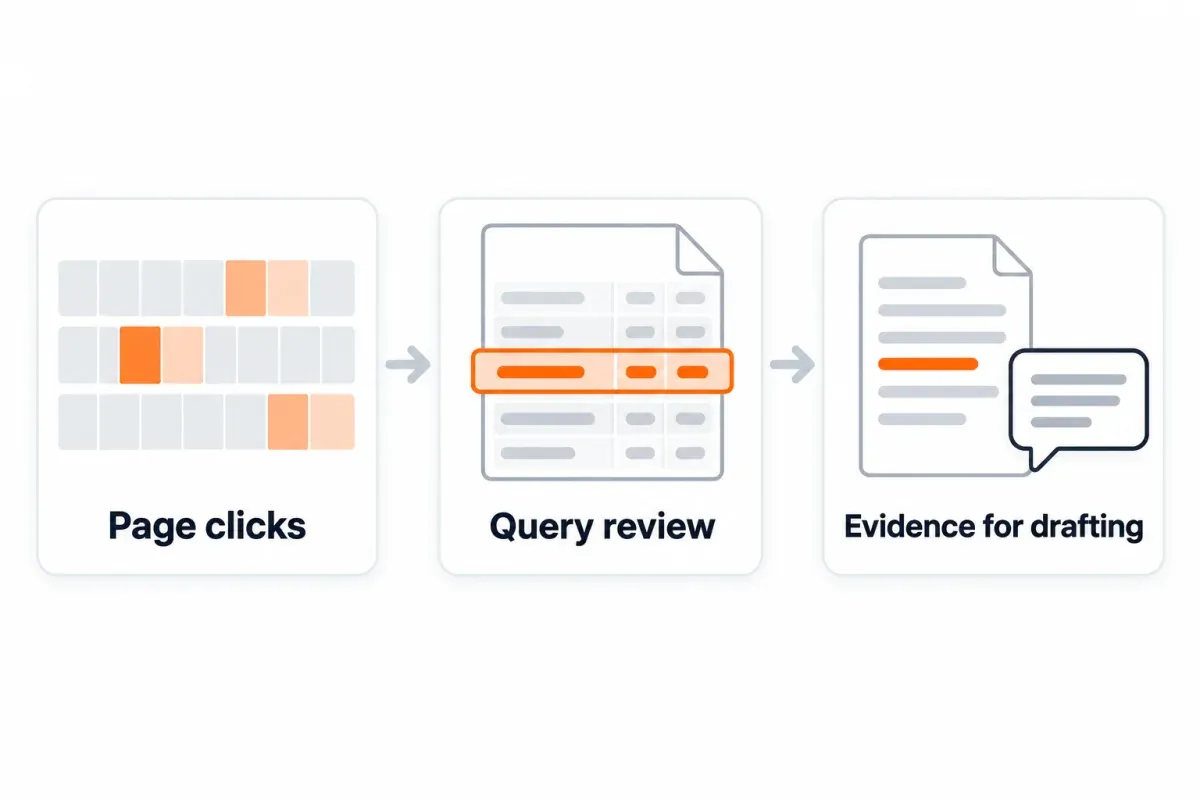
The brief waits outside the writing queue until someone has read the competing pages and verified the facts, plus checked demand if that matters here. In SEO Heatmap you'd get the query metrics from the Keywords tab and the page clicks from the heatmap, which you can switch between weekly and monthly.
Job 2: GEO, or how pages end up in ChatGPT answers
Generative engine optimization, or GEO, focuses on visibility in AI answers.5 Writing the page with ChatGPT gives you no assurance of a citation in ChatGPT Search.6
Bing Webmaster Tools comes first here, since you can check indexing there and fix whatever is stopping Bing from getting in. Even an indexed page in Bing isn't guaranteed a place in ChatGPT answers, so inspect the answers themselves.6
Can OAI-SearchBot reach your pages for ChatGPT Search? Part of the answer sits in your robots.txt and part in whatever other access controls you run, which is why you check both. OpenAI's search crawler is OAI-SearchBot; GPTBot has a different purpose, training.7 So you decide on each bot separately, and you check what's actually live before touching either setting.
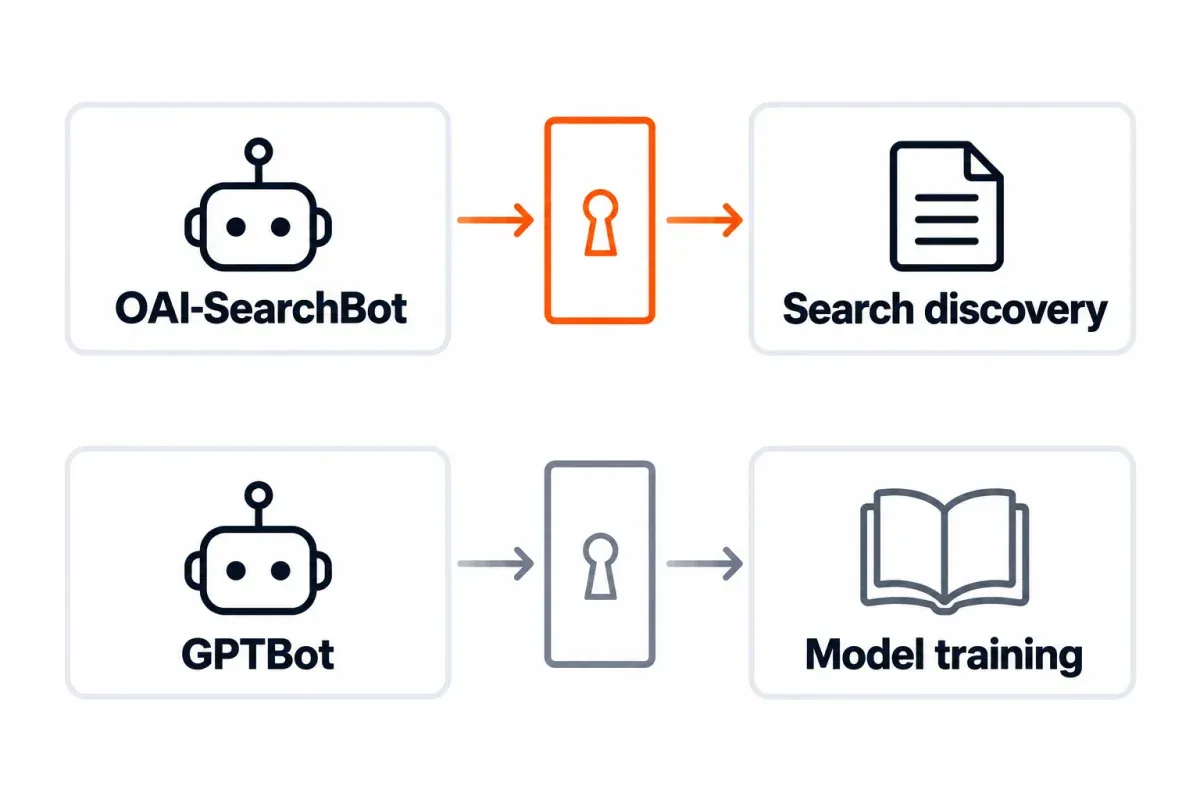
Ask ChatGPT the questions your audience asks, note which sites it cites, and go after accurate mentions on the ones where your expertise or product genuinely fits. One appearance isn't enough reason to buy a mention.
Each time you check, keep a note of the question, the date, the answer and which URLs got cited. Answers change over time and there's no fixed ranking to hold onto, so ask the same questions again later and keep citations in a separate column from visits or signups.
Checks to run before you trust the output
Before accepting output, check that another person can trace its claims and repeat its tests. Don't leave that work until after publication.
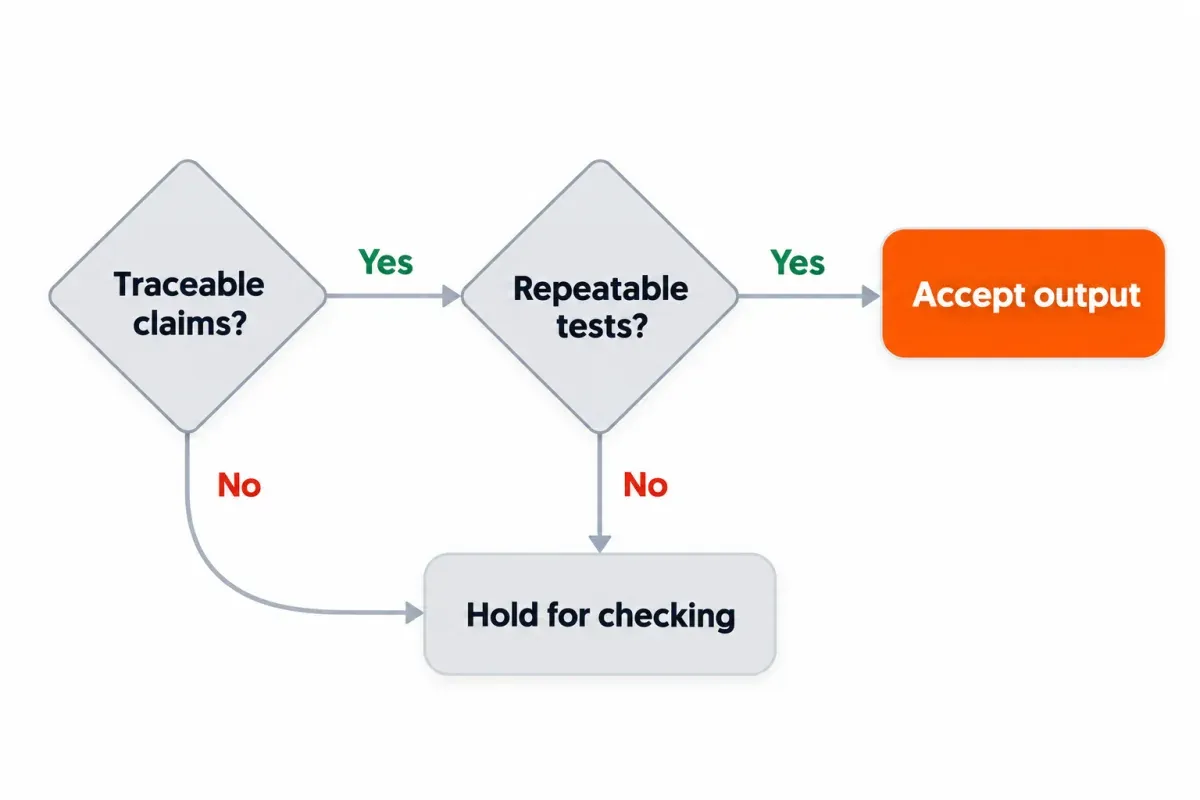
- Reconcile query rows. Match assigned and unassigned query-row counts to the input, and spot-check the copied metrics. These counts don't measure search demand.
- Verify new numbers and citations. Check volume and difficulty in the named keyword tool. Open cited pages and confirm the actual passage supports the claim.
- Review page decisions. Open the mapped URL and search results before approving a refresh or new page. Check suggested link destinations too.
- Test technical changes. Validate schema and test affected robots.txt, redirect, and hreflang behavior against the intended result.
- Check product facts and copy. Confirm feature claims against vendor documentation, recount meta characters, and remove promises the page can't support.
Did the edit help? Line up the same page and query groups over comparable periods and see. Write down when it shipped and what else changed around then, and read clicks, impressions and average position in whichever report fits. Movement in those numbers tells you where to look next. It doesn't tell you why it happened.
Run this workflow against your own Search Console data
Open SEO Heatmap and look for pages gaining or losing clicks, either month by month across 16 months or week by week across 16 weeks, then move to the Keywords tab for the queries worth a closer look. It's free for one Search Console property, with Sheets/Excel export without the 1,000-row cap and Claude/ChatGPT access through MCP for working from that data.
Frequently asked questions
Can ChatGPT turn my query data into SEO content?
Yes. Give it your query data plus the page text and it'll draft briefs, outlines, FAQs and meta copy for you. You still pick the page yourself, though, and the draft still gets fact-checked against what it promises. A cluster about verifying redirects, say, should end up as an answer on checking redirects (not some generic SEO article).
Where are ChatGPT's search volumes coming from if I never gave it any?
If you can't trace them to a named source, they're unsupported, plain and simple. Remove them and check demand in a keyword tool. Search Console impressions describe your property's exposure in the selected report, not total keyword search volume.
How do I find update candidates without invented metrics?
Start from your own Search Console rows, with clicks, impressions, average position and the report settings pasted in alongside. ChatGPT can pull out the rows averaging 11 through 20, and you double-check the values it copied and the page mapping. That range creates a review queue, not a guaranteed ranking gain.
What should I do if ChatGPT gets the cause of a traffic drop wrong?
It's a hypothesis for now, until the reports and the page provide evidence that backs it up. Use comparable periods for the page-specific data, making sure you've checked filters and included any known page changes. And if it blames indexing, inspect the URL in Search Console before anyone signs off on content changes.
If I use ChatGPT for SEO, will ChatGPT start citing me?
No. Drafting with it and showing up in ChatGPT Search answers are separate jobs, and doing one gets you nothing on the other. The assistant workflow uses your supplied data to produce drafts. Visibility work concerns search access, relevant pages, credible mentions, and checking observed answers.
What technical drafts need checking before they go live?
Anything ChatGPT drafts for schema, robots.txt, redirects or hreflang should be reviewed by a person before it goes to production. For schema that means the Schema.org validator and Google Rich Results Test. With the others, you test the behavior on real URLs and compare it with what you meant to happen. A redirect passes when it returns the status you chose and lands where you intended.
Does hand-editing an AI-written article keep it clear of Google's spam rules?
Not by itself. You can reword a thin draft all day and it won't gain anything useful. Google's spam policies name scaled content abuse, which is mass-produced content made to manipulate rankings instead of helping users. What counts is whether the claims are accurate, the evidence is there and readers get a real answer. Polished wording doesn't change any of that.
How does SEO Heatmap help when I work with ChatGPT?
With SEO Heatmap you see each page's clicks laid out by month (16 months back) or by week (16 weeks back). Before you draft anything, the Keywords tab lets you vet candidates, because it shows clicks, impressions and average position for each query. For one Search Console property, it's free. You get Sheets/Excel export without the 1,000-row cap and Claude/ChatGPT access through MCP.
If you're building this ChatGPT workflow on your own Search Console data, SEO Heatmap is the shortest path to the exports and heatmap views the prompts here depend on. It's free for one property.
Sources (7)
SEO Heatmap Knowledge relies on primary sources: Google's documentation, web standards, peer-reviewed research, and vendors' own pages for their pricing and features. Our editorial standards
- Google Search Central. “Search Analytics: query.”
- Google Search Central. “Spam policies for Google web search.”
- Google Search Console Help. “Performance report (Search results): Overview and basic setup.”
- Google Search Central. “General structured data guidelines.”
- Aggarwal et al., KDD 2024. “GEO: Generative Engine Optimization.”
- OpenAI. “Searching the web with ChatGPT.”
- OpenAI. “Overview of OpenAI Crawlers.”

